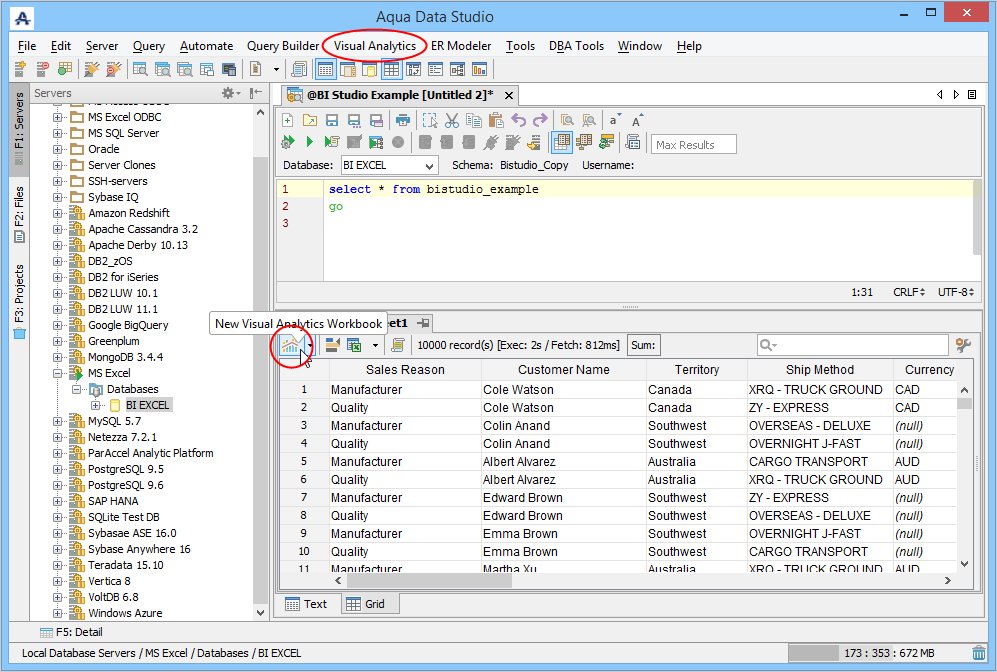
The first step to launching Visual Analytics is to execute a query in the Query Analyzer in Aqua Data Studio. Once results are generated from your query, you can launch Visual Analytics by:
- Clicking on the [Visual Analytics] menu in the Main Application Menu
- Clicking the [Visual Analytics] button in the Query Analyzer Grid Results Pane
- Choosing [File > Open] and selecting a Visual Analytics Workbook (a file ending with the extension .vizw or .vizx)
- Double-clicking within the OS on a .vizw or .vizx file, which then opens Aqua Data Studio and Visual Analytics
- Dragging a .vizw or .vizx file from the OS interface into the Aqua Data Studio Main application frame
To close Visual Analytics:
- Click its close button X in the upper right corner of the Visual Analytics window.

- Select [File > Close] from the Visual Analytics Tool Menu.
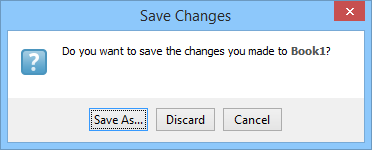
Visual Analytics will prompt you to save when you close it if you haven't already done so.