In this step you will open your WAM layout in the editor and add your External Resource to this layout. This will apply the style sheet iii_style.css to all WebRoutines in this WAM only.
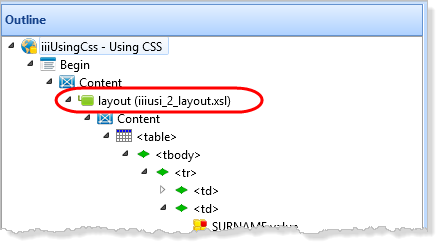
- On the Outline tab, open your WAM layout in the Design view by double clicking on the WAM layout item.
Note: The WAM layout is named using the WAM Identifier for example iiiusi_2_layout.xsl. Your name may be slightly different.
- Select the Design ribbon and click the External Resources button, to open the Manage External Resources dialog.
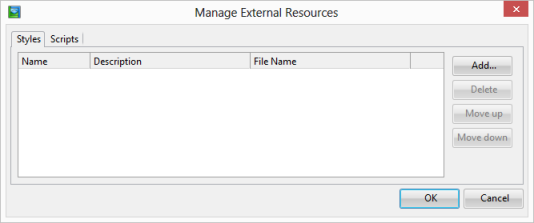
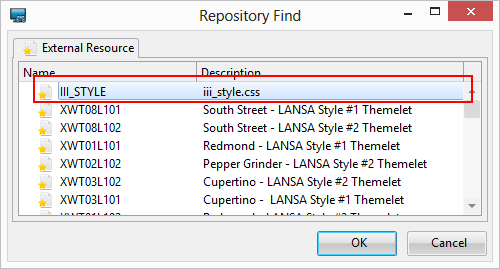
- Click the Add button, select your external resource and click OK. Click OK to close the Manage External Resources dialog.
- Save the WAM layout.
The editor has added an entry to the WAM layout XSL to apply the style sheet defined in this external resource to the WAM layout.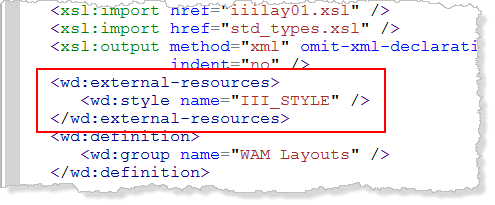
- Close the WAM layout.
- Execute the WAM iiiUsingCSS, WebRoutine begin in the browser.
- Enter a partial surname and display the List page for the employees
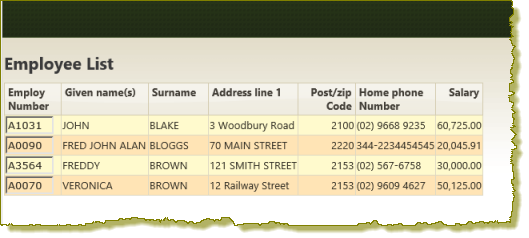
- Use the browser back button to return to the begin page, enter a partial surname and display the Grid page:
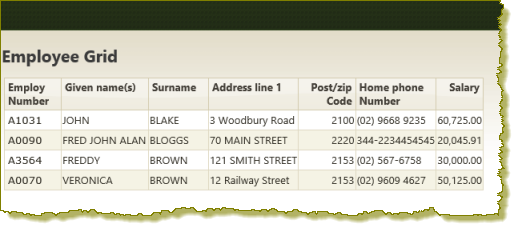
- Enter a partial surname and display the List page for the employees
Note: The cascading style sheet has not been applied to the grid. At the moment it defines alternate background colors for a list only.