In this step, you will compile the WAM.
- You should still have the WAM iiiUsingWebMaps (where iii are your initials) open in the LANSA Editor.
- Click the
 Compile button on the LANSA Editor toolbar to compile the WAM component.
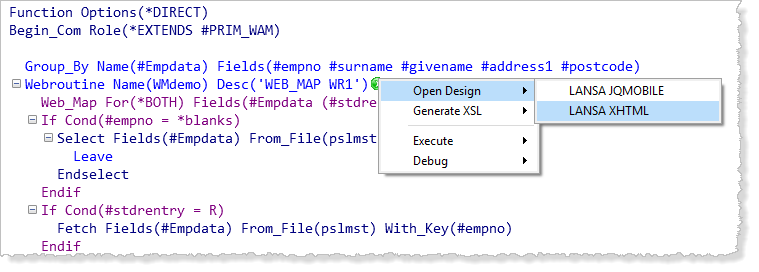
 - After the compile completes successfully, open the WMdemo WebRoutine in the Design view by right clicking on the green arrow next to the WMDemo WebRoutine statement and selecting Open Design/LANSA XHTML.
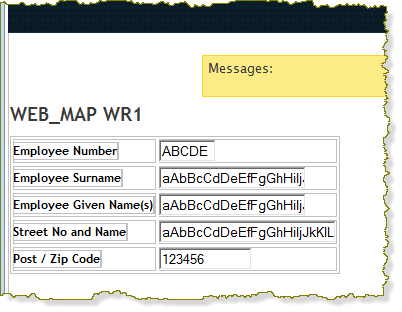
The Design view should appear something like the following: