Page History
[  |../../index.htm#lansa/vlfonetutorials_0165.htm]
...
Wiki Markup
If you do not know what an instance list is, see [<span style="color: #0000ee"><span style="text-decoration: underline; ">What is an Instance List?</span></span>|see What is an Instance List? https://docs.lansa.com/14/en/lansa048/content/lansa/businessobjectinstance.htm
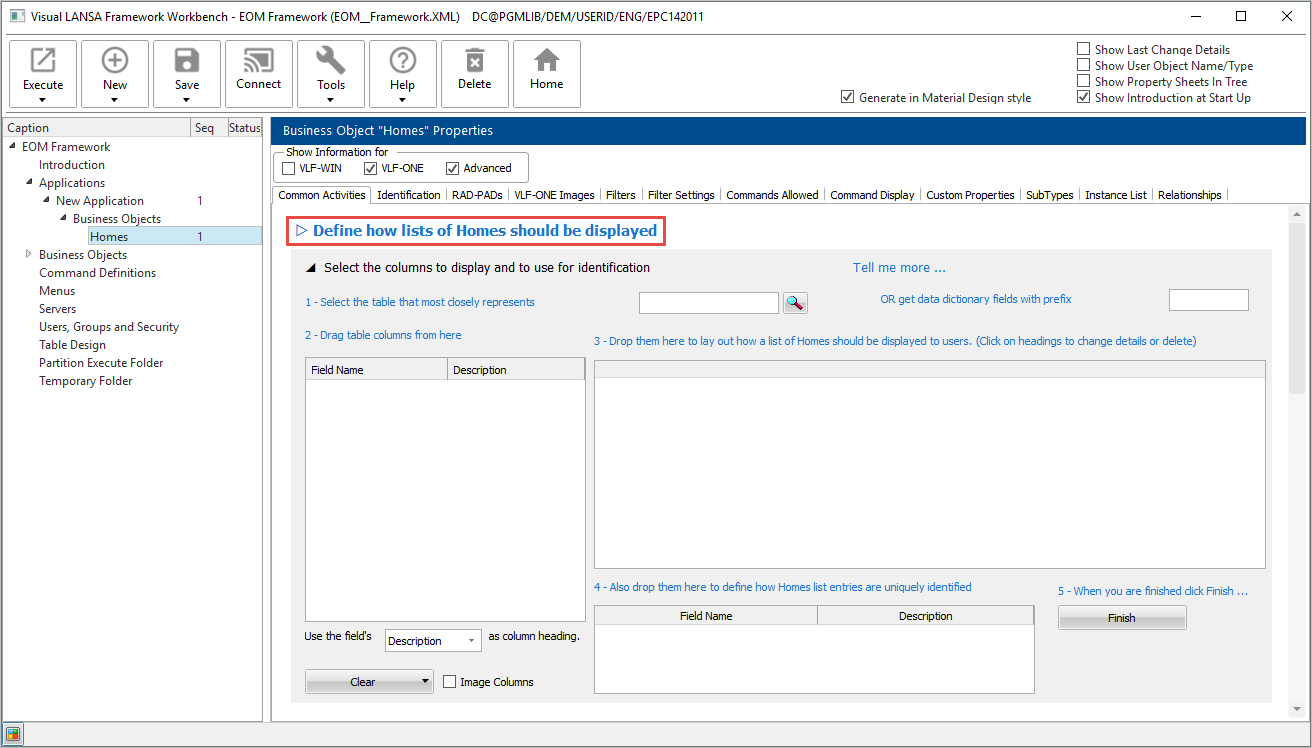
] Switch to the Common Activities tab for Homes and click the option _Select the columns to display and use for identification_ under _Define how lists of \of [business object name\] should be displayed:
Select xHomesForSale as the table to be associated with the business object, and add all the columns in the table except for xHomeImage to the list of columns to be displayed, and make xHomeId the instance list identifier:
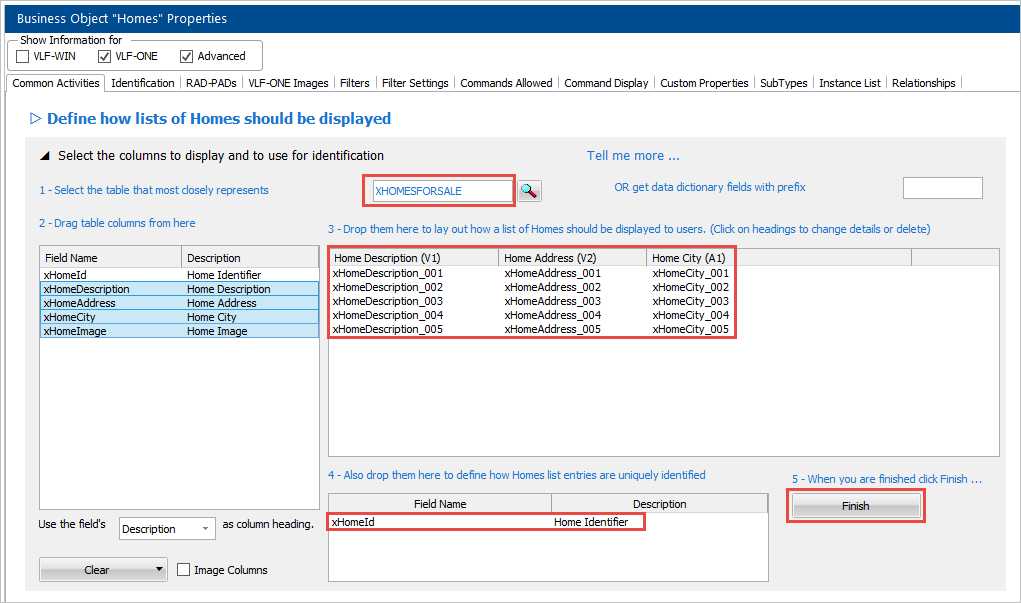
Click Finish to save the instance list definition. {_}: !worddavaf485e25f57cd86bb5b0fc63f3f1b1cc.png|height=32,width=32! Select xHomesForSale as the table to be associated with the business object, and add all the columns in the table except for xHomeImage to the list of columns to be displayed, and make xHomeId the instance list identifier: !worddavaf485e25f57cd86bb5b0fc63f3f1b1cc.png|height=32,width=32! Click Finish to save the instance list definition. [ !worddavaf485e25f57cd86bb5b0fc63f3f1b1cc.png|height=32,width=32! |../../index.htm#lansa/vlfonetutorials_0165.htm]