Page History
[  |../../index.htm#lansa/vlfonetutorials_0520.htm]
...
You need to add buttons to the settings panel and make the button Click events request the Framework manager to change the settings of the background panel.
Open the settings panel (XXX_SettingsPane) and replace the source code with this code:
...
| Code Block |
|---|
...
In the code, replace the references to #EOM_CustomManager with the name of your own custom manager.
Display the Design tab. Your settings panel now has buttons to change the background panel text and image:
...
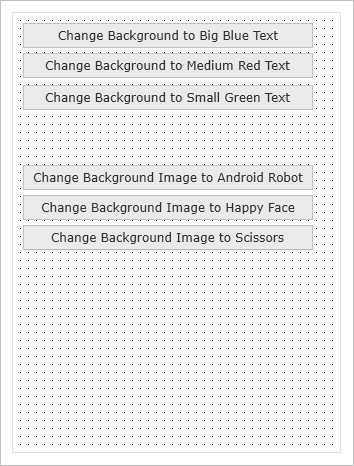
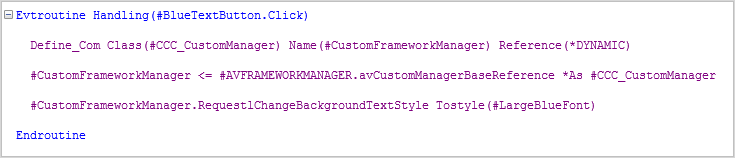
The Click event routines of the buttons set a reference to the custom Framework manager and send it requests to change the background text or image. For example:
...
...
Compile and close the settings panel.
...