Page History
Find Results
In the Results output tab, you can work with any of the found objects in the list. For example, you can open or delete, or depending on the type of object, compile, execute or debug:

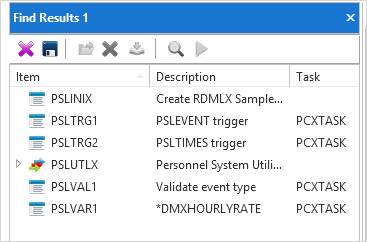
You can save the search results as a list which is described in Lists.
Find Toolbar
| Delete selected object from the search results list. |
| Save the results of the search to a list. Refer to Save Results of Search as List. |
| Open the object that you have selected in the list. |
| Delete selected object from the repository. You will be asked to confirm the deletion. |
| Compile selected executable object. Refer to Compile Options. |
| Debug selected executable object Refer to Debugging Applications. |
| Execute selected executable object Refer to Executing Applications. |


