Page History
6.2.1 Breakpoints
The Breakpoints window displays a list of all lines that have been marked as breakpoints. The window displays debug statistics and allows you to reset the program breakpoints.
To display the Breakpoints tab, use the Views command in the ribbon. By default, the Breakpoints window will appear as a docked tab in the bottom pane of the editor.

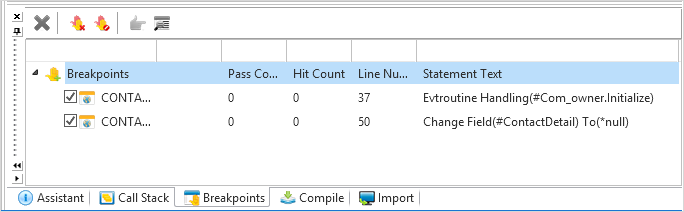
The checkboxes are used to enable or disable breakpoints already added for a specific line. To add breakpoints to a new line, use the F9 key.
Breakpoints Toolbar
| Delete a selected breakpoint in the list. |
| Clear all breakpoints set in the open application. |
| Disable or enable all breakpoints in the open application. |
| Display the selected statement in the Source view. |
| Display the 6.2.2 Breakpoint Properties dialog. |


