Page History
...
When you run your solution, your processing sequence, the JSM Binding Script and the LANSA Integrator JSM binding solution will work together to accomplish the desired task.
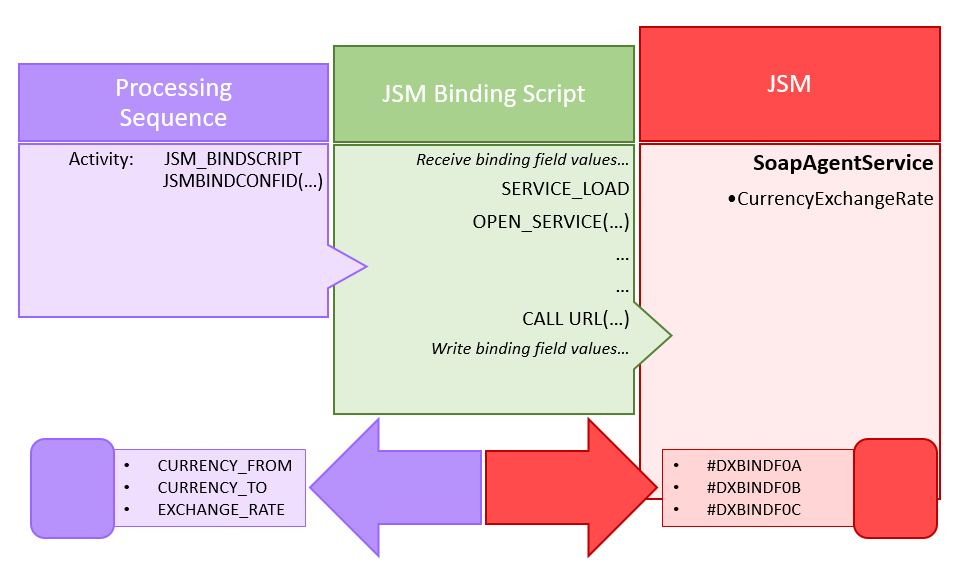
1. Create, build and deploy a LANSA Integrator binding solution
Typically you will use LANSA Integrator Studio to create, build and deploy a LANSA Integrator binding solution using the SOAP Agent Wizard or the JSON Binding Wizard.
...
Refer to Manage Your LANSA Integrator Binding Solutions for important information to help you manage your LANSA Integrator binding solutions.
2. Create a JSM Binding Script Configuration that uses the binding solution
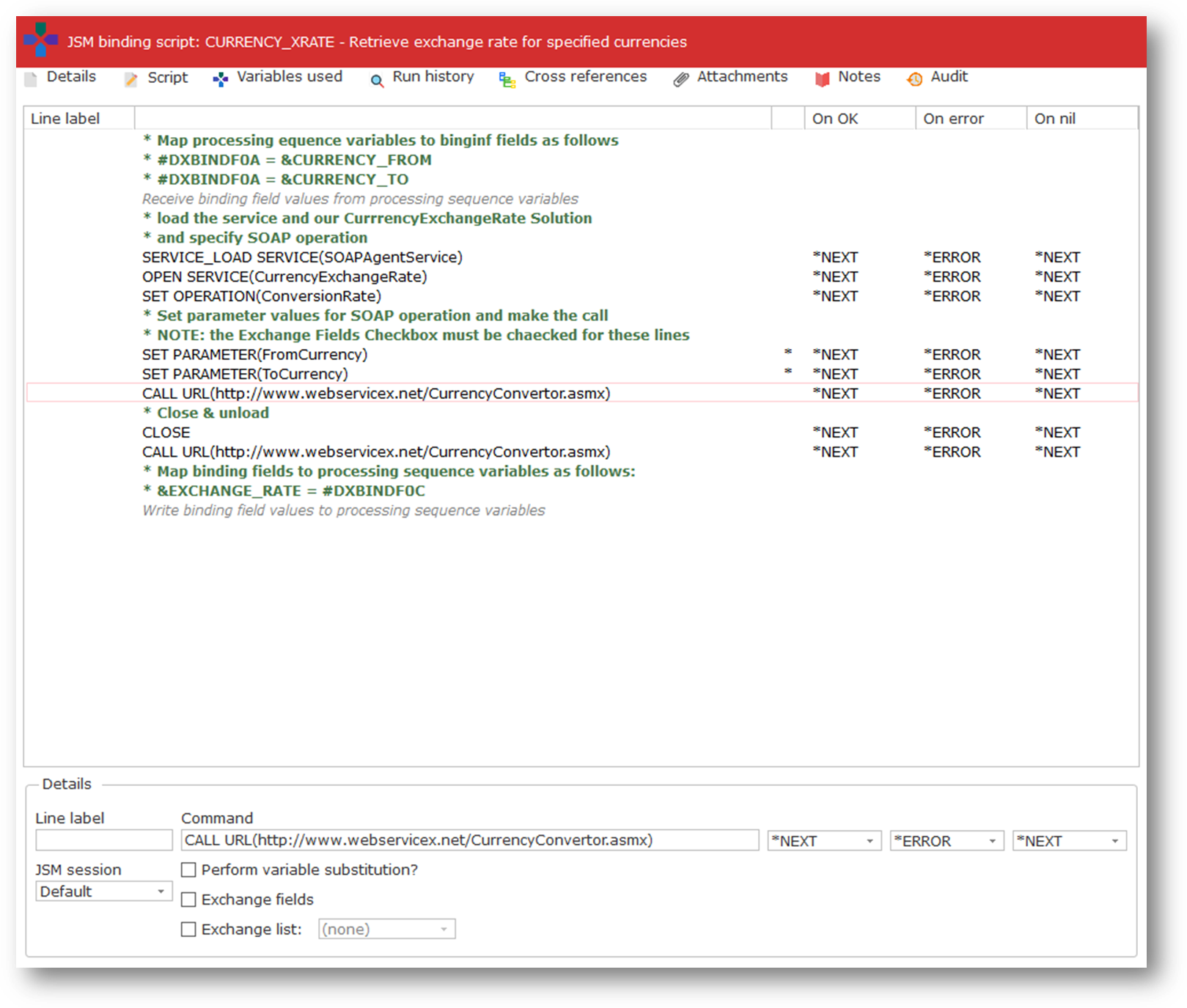
In order to use your LANSA Integrator binding solution in LANSA Composer, you need to create a JSM Binding Script Configuration.
...
Your script will usually also include directives to "bind" processing sequence variable names to the binding field and working list names used in your LANSA Integrator binding solution. In addition, it may contain directives to control looping and iteration.
3. Create a Processing Sequence that uses the JSM_BINDSCRIPT activity
Finally, when your JSM Binding Script is complete, you can execute it in a Processing Sequence by including the JSM_BINDSCRIPT activity and naming your JSM Binding Script Configuration in the JSMBINDCONFIG parameter of the activity.
...