Page History
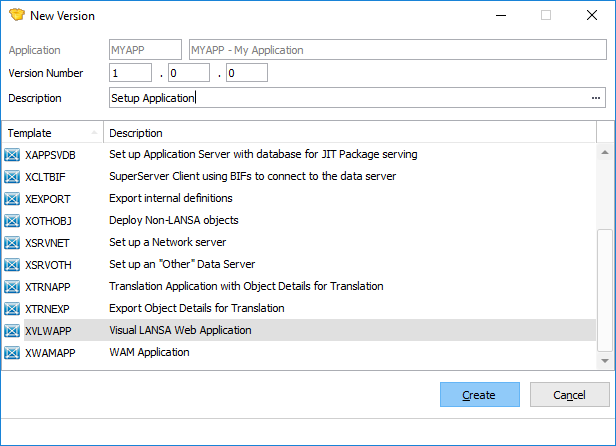
| The initial Version in an Application is created when the Application is created. After confirming the Application details the New Version dialog is presented. |


Subsequent Versions in the Application are created by copying the original Version. The Create Next Version option is available in the context (right click) menu when a Version is selected in the Main Window tree. The Version will be created under this selected Application.
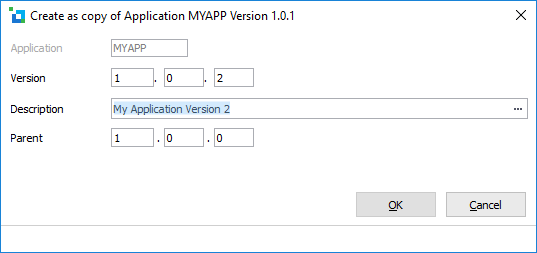
Application | The Application containing this Package. This value is prefilled and cannot be modified. |
Version | Enter the next Version number. Version number must increase for subsequent releases. A recommended approach for naming is: |
Description | Enter a description. |
Parent | The parent Version is automatically derived based on the parent of the copied Version. For the first Version in an Application the Parent will be 0.0.0. |
Template Name | A template can only be selected when creating the first Version in an Application. |
...