Page History
Start the Visual LANSA IDE and Log on.
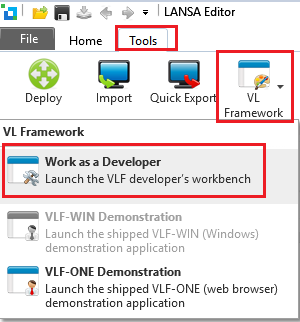
Switch to the Tools tab and click on the VL Framework button.
Choose to Work as a Developer.
Select the shipped VF_VLFONE_SYSTEM.XML and click Open.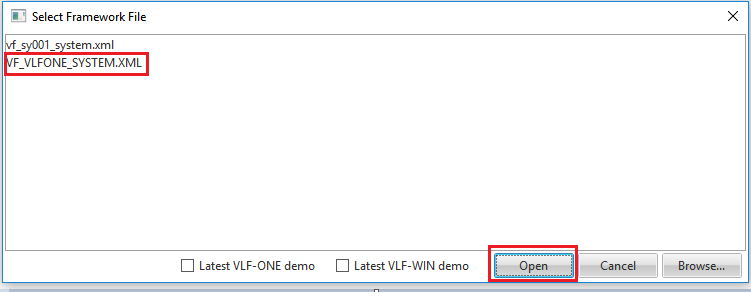
Start the Visual LANSA IDE and Log on.
Switch to the Tools tab and click on the VL Framework button.
Choose to Work as a Developer.
Select the shipped VF_VLFONE_SYSTEM.XML and click Open.