Page History
Please note that existing Frameworks should not be used for these tutorials.
Make sure that the Framework you are about to clone is the VLF-ONE demonstration Framework.
In the VLF-ONE workbench, click on the Home button to show the Common Activities for the Framework:

Under Getting Started, click on Clone this framework as an empty framework.
Specify a prefix for the new framework.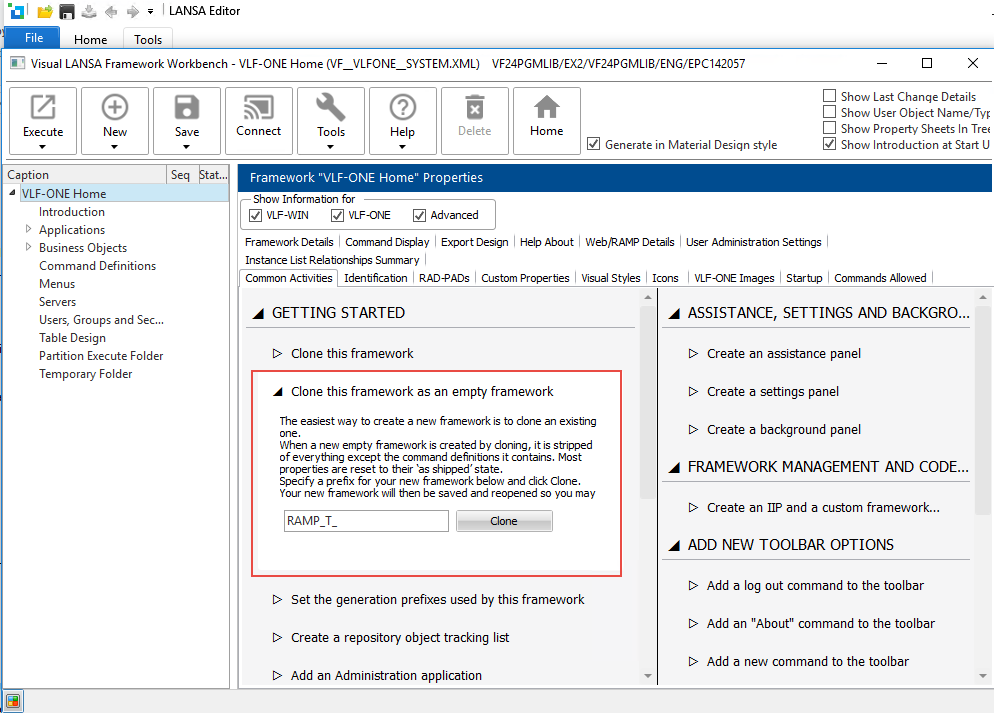
Click Clone.
The framework will automatically save and restart.