The way that a special field handler looks and acts is entirely up to you because you code them as Visual LANSA forms to do whatever you want.
Example handlers named DF_PRM01 – DF_PRM07 are shipped with the Framework. They demonstrate various handler behaviors that you might want to use as a basis for building your own handlers:
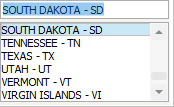 Image Added Image Added  Image Removed Image Removed
| DF_PRM01
A simple list of state codes.
Classic "code" selection. |
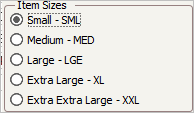 Image Added Image Removed Image Added Image Removed
| DF_PRM02
Selection of a clothing size code from a list of radio buttons.
Classic "code" selection |
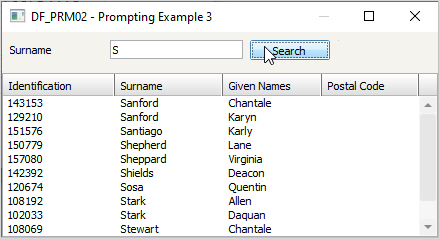 Image Added Image Removed Image Added Image Removed
| DF_PRM03
Locate an employee number.
Classic "key" locator (eg: Product Number, Customer Number) used when to much data exists to use a combo box or radio buttons.
Often supports searching in multiple ways (eg: by name, phone number, zip code, description, etc). |
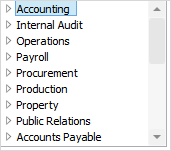 Image Added Image Removed Image Added Image Removed
| DF_PRM04
Selection of two codes.
Slightly more advanced "code" selector. |
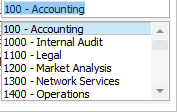 Image Added Image Removed Image Added Image Removed
| DF_PRM05
Like DF_PRM01, but code values are sent back into the 5250 form as they are selected. Shows how the behavior of a handler can be customized to what you prefer most. |
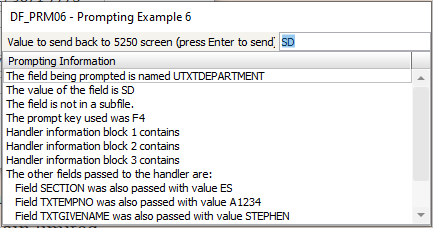 Image Added Image Removed Image Added Image Removed
| DF_PRM06
Generic debugging handler.
Displays details of all the information passed into the handler.
Useful to run in place of a problematic special field handler you are creating to check that the values being input to the handler are as you expect.
Use with application level tracing. |
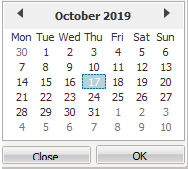 Image Added Image Removed Image Added Image Removed
| DF_PRM07
Is a classic date picker. This example is designed to link to 5250 fields named like DATE_nnnnnn_ffffffff where nnnnn is a field name and fffffff is the format the date should be processed in.
As shipped it should support these date formats:
CCYYsDDsMM
CCYYsMMsDD
CCYYDDMM
CCYYMM
CCYYMMDD
DDsMMsCCYY
DDsMMsYY
DDMMCCYY
DDMMYY
MMsDDsCCYY
MMsDDsYY
MMCCYY
MMDDCCYY
MMDDYY
MMYY
SysFmt6
SysFmt8
YYsMMsDD
YYMM
YYMMDD
Sample field names it could work with are DATE_Start_DDMMYYYY and DATE_ORDER_MMDDYY |
...