Page History
If you have used a PC then OBJECT-ACTION should be familiar
If you have used a 5250 then OBJECT-ACTION should be familiar
...
In an "Employees" application, for example, these concepts might be visualized like this: 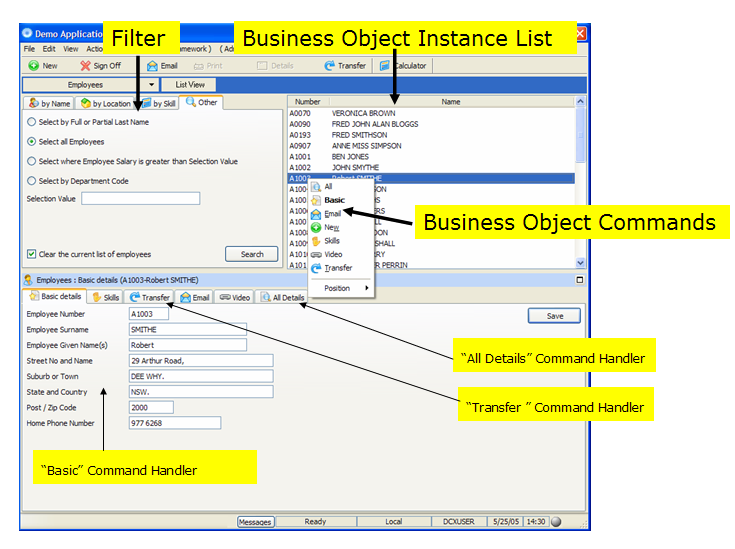
Here you have a:
Filter | Where you specify what employees you would like included in your instance list. |
Business Object Instance List | The list of employees that match your filter's search criteria. |
Business Object Commands | Shown on the pop-up menu when you right click (e.g.: Basic Details, Transfer, All Details, etc.). Sometimes you may execute a command by clicking on an icon on the tool bar. |
Command Handlers | The various programs invoked when select a command from the pop-up menu. |
...
This means that you select an OBJECT then you indicate the ACTION (i.e. Command) that you wish to perform against it.
The OBJECT-ACTION interface is not a Visual LANSA Framework invention.