Page History
The standard Windows dialogs Open, Save and Color are available in Visual LANSA components:
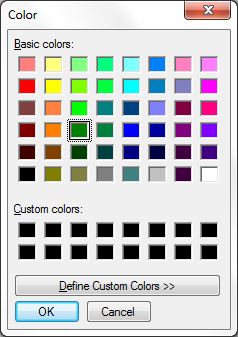
The common dialogs are defined as interfaces of the Desktop Application component (PRIM_APPL):
DEFINE_COM CLASS(#PRIM_APPL.ICommonDialogColor) NAME(#Colordlg) REFERENCE(*DYNAMIC)
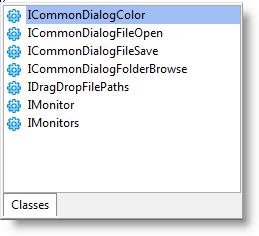
They are instantiated and run using the SYS_APPLN component, for example:
INVOKE METHOD(#sys_appln.CreateColorDialog) RESULT(#COLORDLG)
The dialog features can be obtained using Command Assistant or Auto Complete, or Component Help (F2).
You can copy and execute these sample forms to see how to use the common dialogs:
2.20.1 Color Dialog Sample Form
2.20.2 Save Dialog Sample Form
2.20.3 Open Dialog Sample Form