Page History
Layout items possess a Flow attribute that allows multiple controls to be positioned in sequence, based on the position of the first.
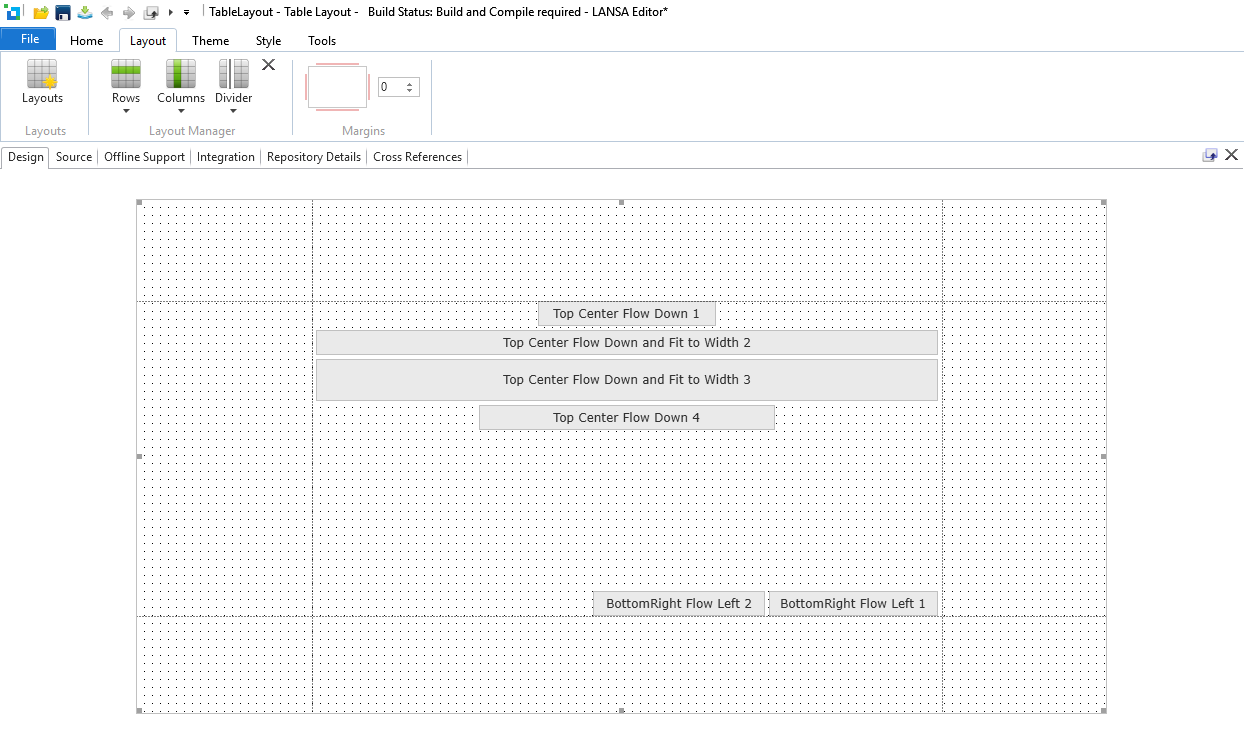
Figure 8 – Flowing controls
For controls to be able to flow, they must all be in the same row and column, and they must all have the same alignment and flow.
Figure 8 shows 2 sets of flowing controls. The first set has an alignment of TopCenter and is flowing down. It's also worthy of note here that two of the controls sized to the width of the cell. The second set has an alignment of BottomRight is flowing towards the left.
Flowing controls will be placed adjacent to each other unless a margin is specified. Margins are cumulative and relate only to the controls in the flow set.
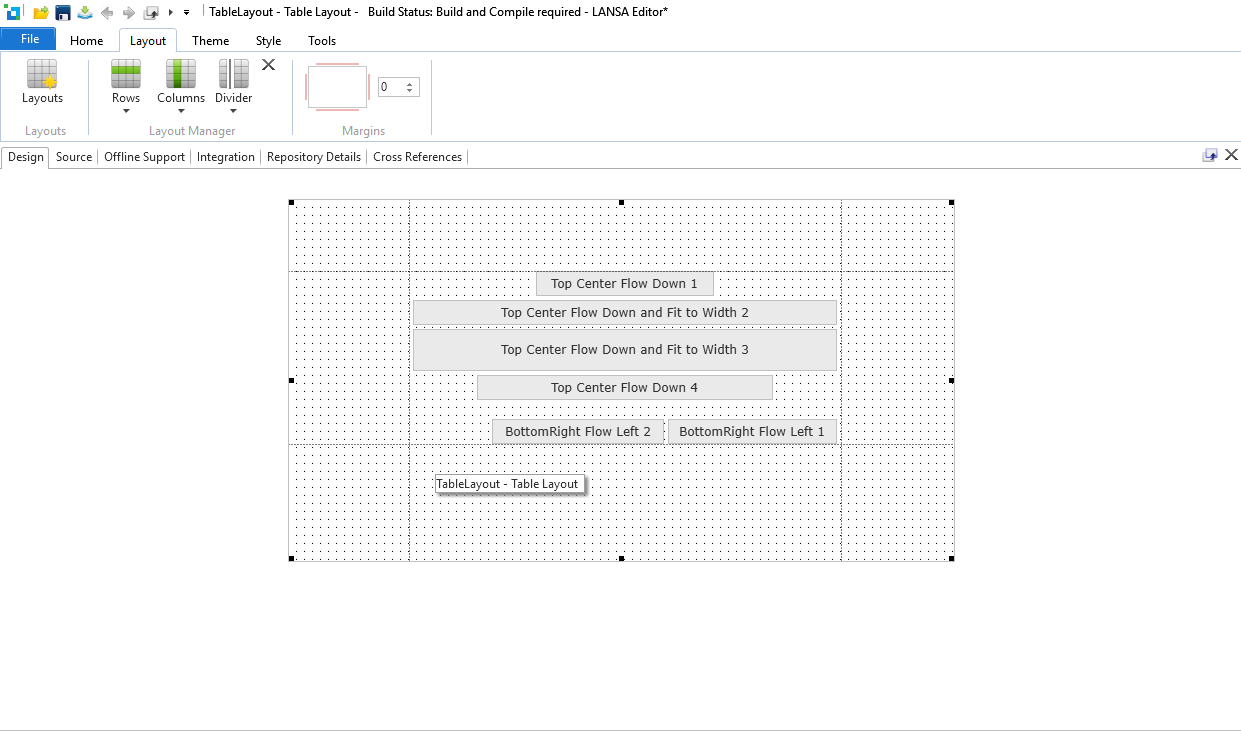
Figure 9 – Flowing controls smaller
In Figure 9 above, the page has been resized. The controls defined as fitting to the width have shrunk, and the controls at the bottom right have moved relative to the TopCenter controls.
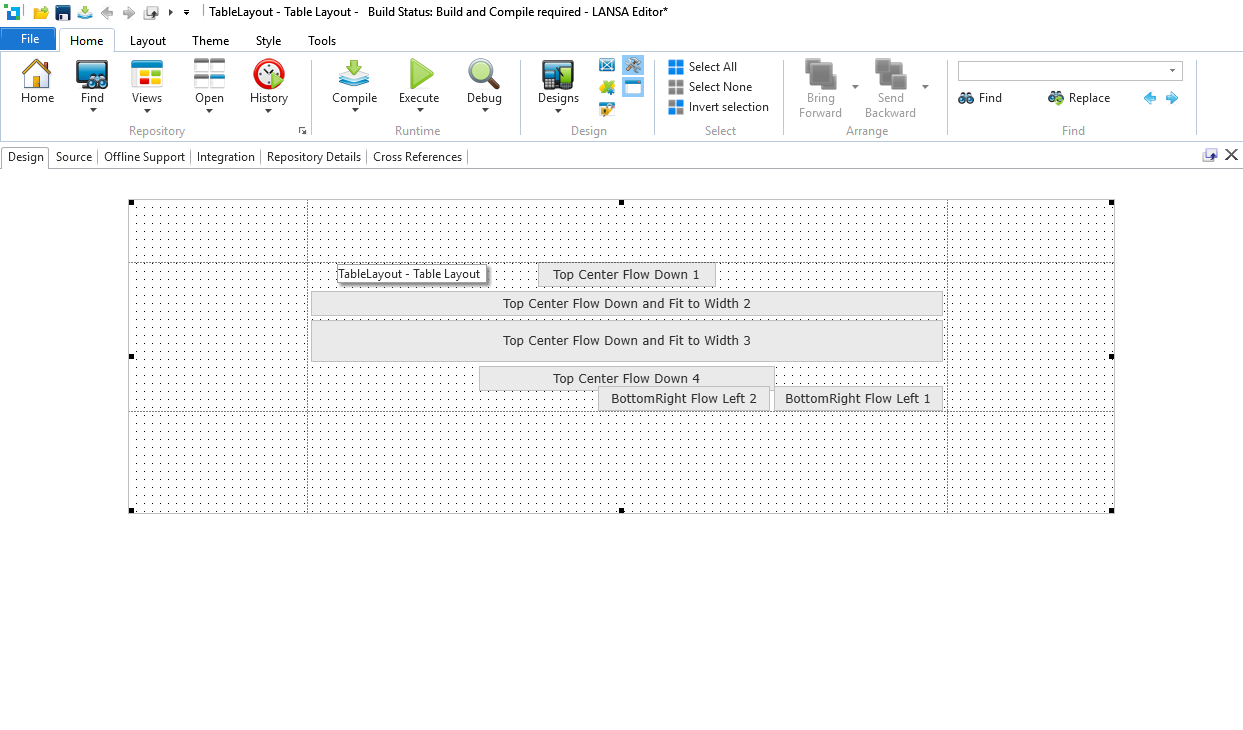
Figure 10 – Controls overlaying each other
In Figure 10, the page has been resized again. This time the cell is so small that the controls in the bottom right clash with the controls flowing down. The DisplayPosition property of the control will determine which control comes out on top.
This scenario demonstrates the independence of the different flow sets.
...