Page History
...
IBM i
If you are running your WAM on the IBM i, copy the gif files to the IFS for example to:
/LANSA_d13pgmlib/webserver/images/ where d13pgmlib is the name of your program library.
Scenario
This exercise may be completed in two ways:
1. Setting up documents for an employee in the file DXDOCS using the demonstration Visual Frameworks application. Continue immediately below to follow this approach
2. Reading an employee record and setting up a working list containing the names of images associated with the selected employee. To follow this approach, go directly to Step 3a. Create WAM to Display Employee Documents.
The following assumes that you have Visual Frameworks (VLF) installed in the partition being used for the WAM training tutorials.
The file DXDOCS is maintained by the Documents command handler in the shipped VLF HR Demo Application for the business object, Resources.
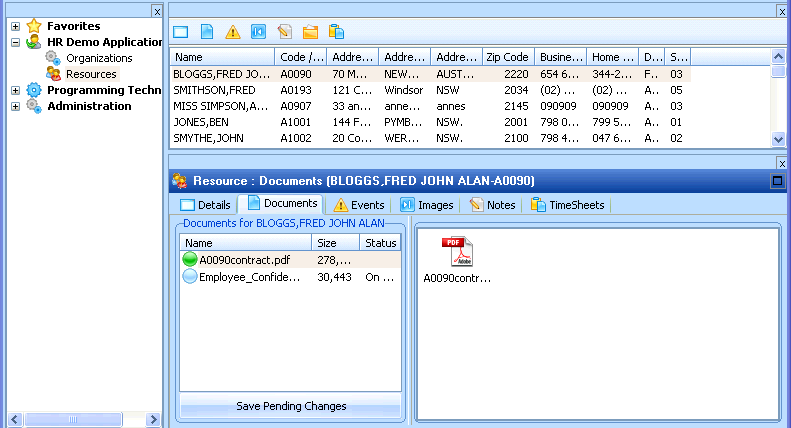
You will use this application to set up documents for at least one employee. Your WAM will then enable these documents to be displayed in the browser.
If you are testing your WAM applications locally (on your development PC), you can start the Visual Framework and work offline. You will be updating the DXDOCS file locally.
If you are creating WAM applications to run on an IBM i server, your Visual Framework must be configured to logon to the IBM i server. Your documents will then be stored in the file DXDOCS on the server.
You can find more details on how the Document command handler works (reusable part DX_DOCS) in the comments included in the component source RDML.
The WAM you will build in this exercise, iiiDspEmpDocs – Display Employee Documents, is a simple WAM that displays details for a single employee and a list of associated documents retrieved from file DXDOCS. When a document is selected it will be displayed in a new browser window.
File DXDOCS
Review the DXDOCS file definition in the Repository. Note that the file keys include all possible VLF instance list key fields. The highest level key contains the business object name. In this case, business object name will be DEM_ORG_SEC_EMP. See the Visual LANSA Framework properties sheet for the Resources business object. The lowest level file key contains the document file name. For the business object Resources, the file key will be:
...