Page History
In this step you will add dynamic select boxes to replace the department and section code fields, and test your WAM.
1. Open the Details WebRoutine in the Design view. Drag and drop a Dynamic Select Box weblet onto the department and the section field input values.
With one of the Dynamic Select Boxes selected in the Design view, select the Details tab. Notice that the weblet has adopted the field name and value:
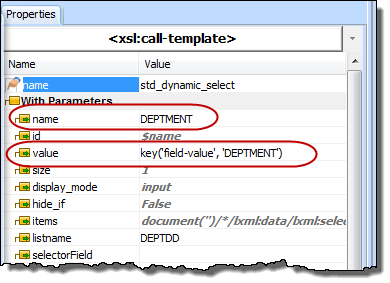
2. In the Design view, select the DEPTMENT dynamic select box weblet and use the Details tab to define its properties as follows:
...