Page History
...
|
6. Set the updateFieldsToSubmit property by selecting the Value column and clicking on the Ellipsis  button to open the Design of… property's dialog.
a. Select a field Name of DEPTMENT
b. For Value, enter DEPTMENT.
c. Select the Field radio button.
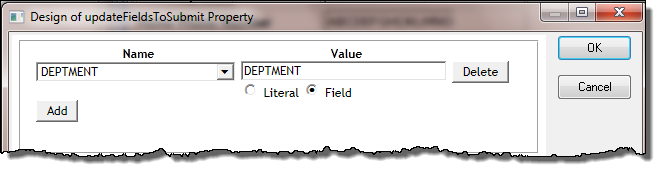
7. Click OK to close the dialog.
8 Save your WAM.
9. Test your WAM by running the Begin webroutine. You should now be able to select a new department and notice that the sections dropdown list is refreshed.
In a later exercise, you will learn more about using the dynamic select box weblet.