Page History
...
Create a c:\temp folder if necessary.
2. Use the Save as Type: All to save the file as iiiWAMOUT.bat in folder c:\temp
3. Navigate to c:\temp with Windows Explorer and double click on iiiWAMOUT.bat to run it. The DOS command prompt should briefly open and close.
4. Check folder c:\temp for the output file iiiEMPDET.html.
5. If your run does not output the file iiiEMPDET.html, check the batch file carefully for errors and try again.
When running your WAM locally, you can also check for errors in the Visual Lansa Error Log.
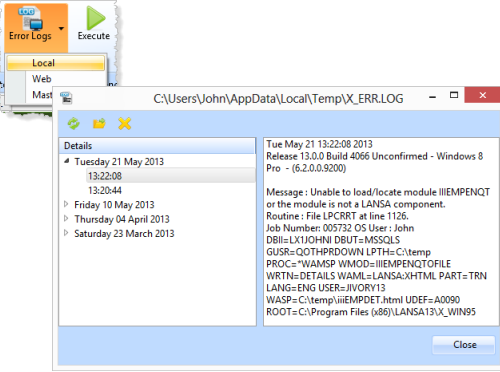
See also the Web Runtime Error Log from the Error Logs menu.
6. When your WAM has created the output file, double click on it to open it directly in your PC's default browser. It should look like the following:
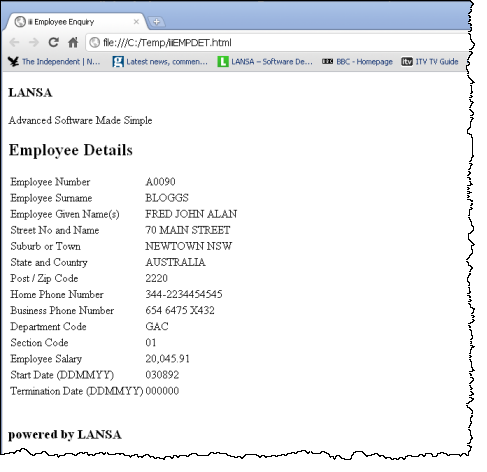
No cascading style sheets have been applied.
7. Copy the output file iiiEMPDET.html to your Visual LANSA web server\images path, such as:
C:\Program Files\LANSA\WebServer\Images
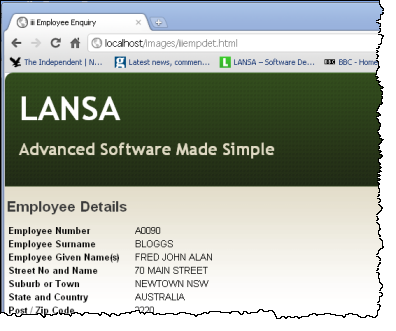
8. Open the file by putting the following URL into your browser address bar: http://localhost/images/iiiempdet.html
Your web page should now be displayed correctly formatted, because the cascading style sheets have been applied. See below: