Page History
...
7. Add the following as hidden fields in the global web_map:
EMPNOF, EMPNOW and CUR_PAGE.
Note that this web_map maps the fields for *both. Their current value will be mapped back into each WebRoutine that is invoked from the web page.
8. Compile your WAM and open the search WebRoutine in the Design view. It should look like the following:
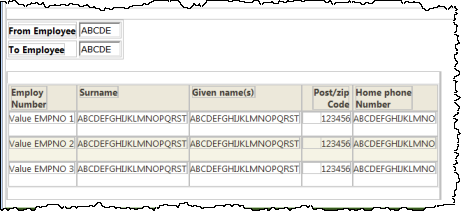
9. Select the employee number input box in the table containing employee numbers, and use the context menu Table Items / Add Columns… to add one column to the table.
10. Drop a Push button with image into the new top cell.
Remove the placeholder characters.
11. Select the push button and set up the push button as follows, using the Details tab:
...
Element | Tab_index |
|---|---|
EMPFROM | 1 |
EMPTO | 2 |
Push Button | 3 |
|
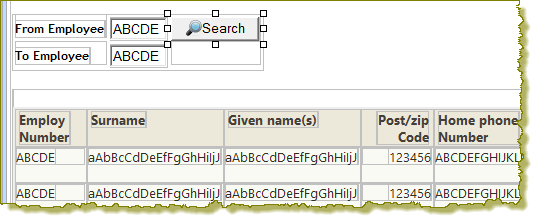
13. Save Save your changes. Your web page should look like the following:
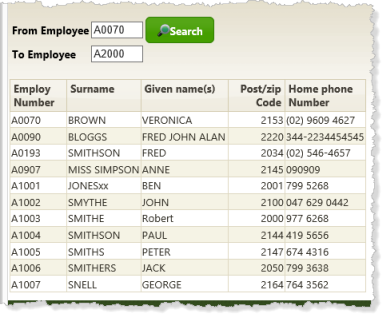
14. Execute Execute your WAM in the browser. Enter search values for employee number such as A0070 and A2000. Your results should look like the following:
[ |../../index.htm#lansa/wamengt4_0410.htm]