Page History
WAM065 - Controlling List Output
1. In the Design view, click anywhere in the employee list and use the context menu, Table Items / Add Rows… to add one row to the bottom of this table.
Hint: Click in one of the columns such as Given Name and then use the context menu.
2. Select inside the left hand cell of this new row and use the Details tab to set its colspan to 5.
3. Drag a List paging images weblet into the new row. Your web page should look like the following:
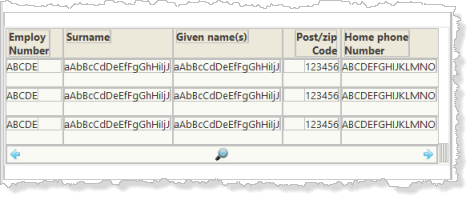
4. Save your changes.
5. Select the list paging images weblet and use the Details tab to set up its properties:
...