Page History
...
To open the DateTime format dialog box, select the command Selecting Date Format for numeric field and date type for output files from the Options menu.
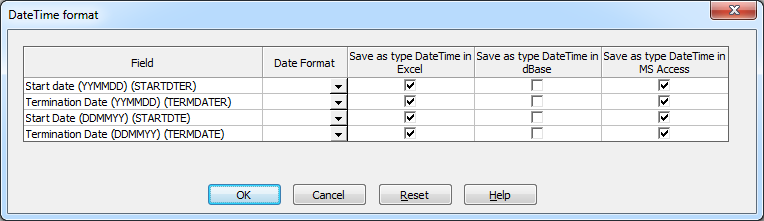
Field
A list of the fields that you have selected that may be date or time fields. These fields have been recognized as dates and/or times by one of the following:
- Numeric fields that have editcodes 'Y' or 'W' attached
- Numeric fields that have a specific editword matching those listed in the LANSA Client Configuration file as indicating dates or times at your site. These edit words are recorded by the LANSA Client Administrator.
Date Format
From each field's drop down arrow, select the format in which each date is stored in the database. You must select the format defined for the original date. If you don't select the correct format, the display of the entry will not be correct. No validation is performed on the incoming data. If the data does not match the nominated format, incorrect results or conversion errors will occur.
...