Page History
In this step you associate the Department Code field with a special handler.
1. Select Session in the screens and scripts list. The session object is where you associate fields and special field handlers for all the screens in your session.
2. In the Special Field Handling table, specify the utxtDepartment field and a special handler named DF_PRM04. Use F2 as the key to invoke the handler.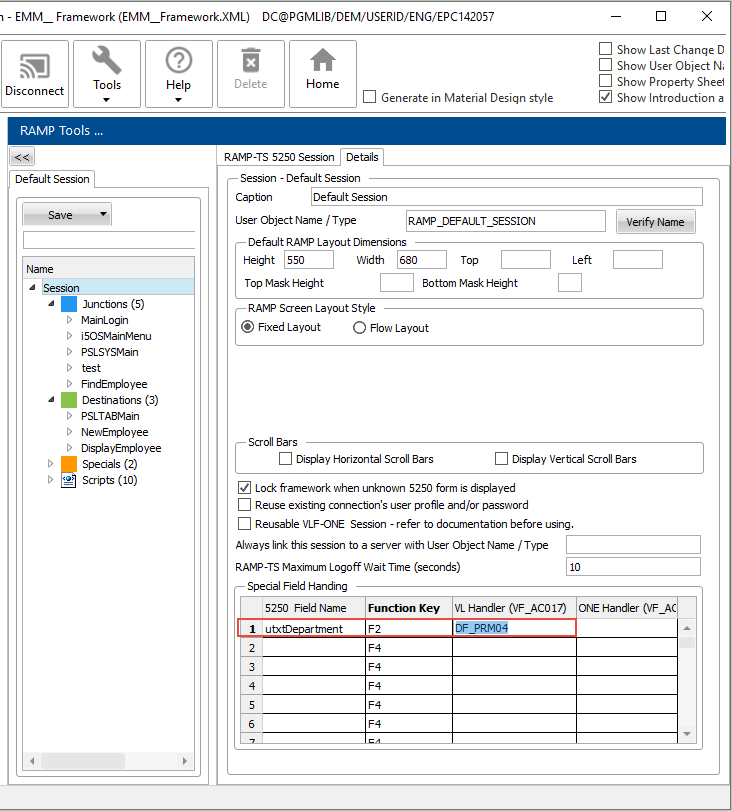
3. Select the DisplayEmployee screen in the screens and scripts list.
4. Enable the F2 key.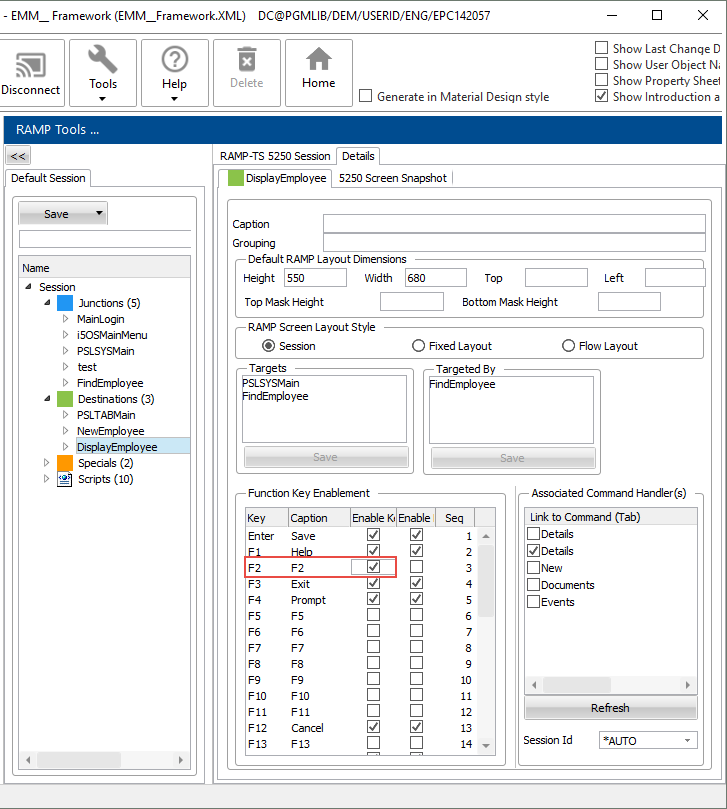
5. Do a partial save of the RAMP definition.