Page History
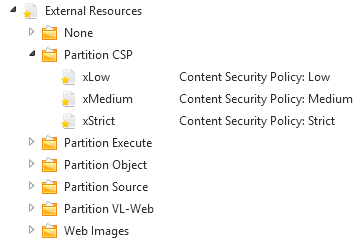
- Create the Content Security Policy External Resource in the Partition CSP LANSA folder that you want to use with your web page:
- Edit the contents of your Content Security Policy:
- The Content Security Policy External Resource is a text file with lines for each directive (name-values). The text file must be encoded in UTF-8.
- If your style-src and script-src keywords don't include the 'unsafe-inline' value, you must add a nonce attribute (represented by the replacement variable %{nonce_hdr}%
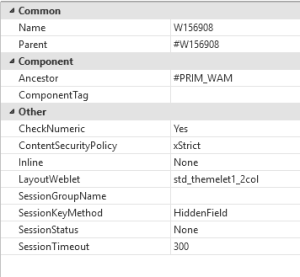
- Edit the properties of your WAM and select your Content Security Policy.
- Save and recompile your WAM.
- Run your web page. The contents of your CSP external resource file are sent as HTTP headers.