Page History
...
2. There are no additional properties on weblets to navigate to a Webevent (such as there is for Webroutines). HandleWebEvent() can be called from the presubmit_js property of most weblets, or via user defined JavaScript. It is possible, for example, to directly set JavaScript to execute by setting the onlick attribute value,
document.LANSA.SEARCH.onclick = "HandleWebEvent('MYPROC', 'MYFUNC', null, null, 'ASURNAME', 'ASTDRENTRY')"
...
5. As a result, a WebEvent LANSA function is executed passing the specified field values and a WebEvent page is shown in the browser.
Example
How a WAM form can initiate a WEBEVENT form and pass information to it: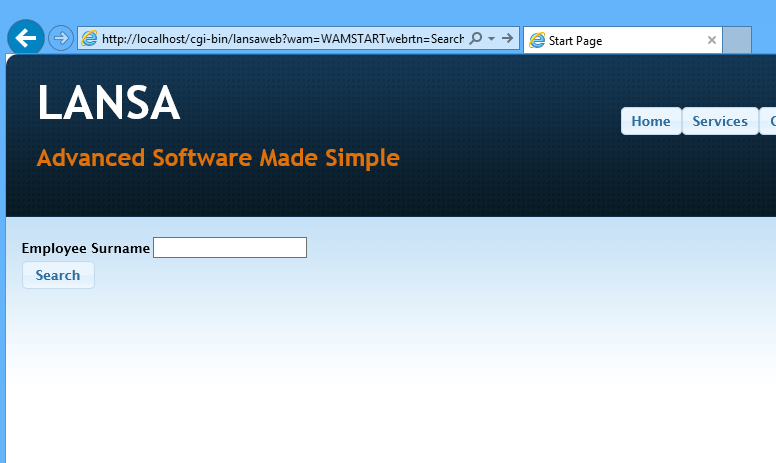
Consider a Search WAM form, which submits to a Browse WEBEVENT, but passing the entered SURNAME field value.
In LANSA Editor's Details tab you enter 'HandleWebEvent("MYPROC", "MYFUNC", null, null, "ASURNAME", "ASTDRENTRY"); return false;' for presubmit_js property of the Search button.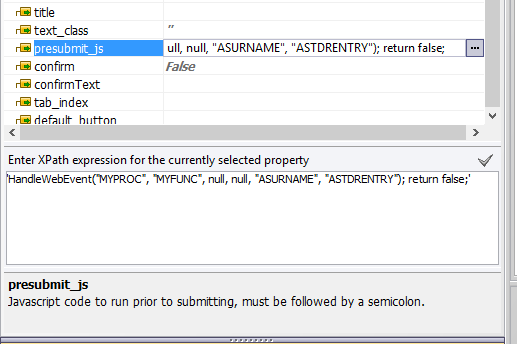
When you run this page in the browser, clicking on Search button will submit to a WEBEVENT, showing its page in the browser, after it completes execution.