Page History
...
Themes allow you to select one of nine color schemes to apply to your layout. Three examples are shown below: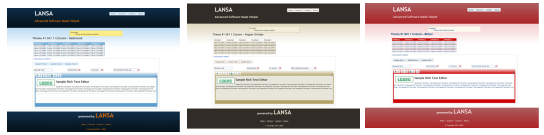
You can also choose between fixed or fluid layout width. The fluid layout is more flexible because its content area will include scroll bars if your content does not fit within the space available. For example some of your web pages may include lists with a large number of columns.
Once you have created a layout you could start to modify its appearance or content. For example, replace the fixed text such as 'LANSA Advanced Software Made Simple'. You will look at layouts in more detail in WAM110 - Create Your Own Layout Weblet.
To create your layout you will complete the following:
Step 1. Use the Web Application Layout Manager Wizard.
Step 2. Execute the generated Demo WAM
Step 3. Examine the new layout
Before you Begin
In order to complete this exercise, you should have completed the following: