Page History
...
- Start Microsoft Visual Studio .NET, and then choose File > New > Project. The New Project window appears.

- In the Project Types tree, select the Business Intelligence Projects folder.
- In the Templates area, select the Report Project template.
- In the Name field, type a name for your report, and then click OK.
- Click the View / Solutions Explorer button to open the Solution Explorer window.
- Right-click Shared Data Sources, and then select Add New Data Source.
- In the Data Link Properties window, click the Provider tab.
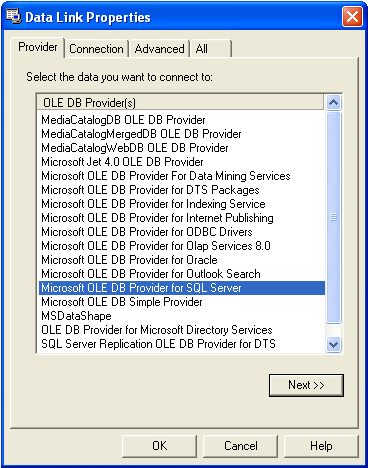
- Double-click Microsoft OLE DB Provider for SQL Server, which opens the Data Link Properties window on the Connection tab.
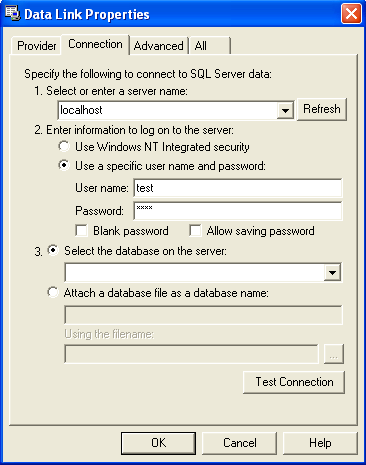
- Enter Type the name of the database server, and then use the user name / and password combination needed to login log in to the server.
- Click the Test Connection button to to verify that you can establish a connection to the database.
- Choose the database from which you want to retrieve the data will be retrieved , and then click OK.
Configuring a report using Microsoft Reporting Services
...