Page History
The Collection Server tab lets you to specify which computer is currently hosting the Collection Server. The SQL Compliance Manager Agent Service receives audit settings from the Collection Server and sends collected SQL events to the Collection Server for processing. Ensure the SQL Compliance Manager Agent Service has access to the Collection Server computer.Specify the Collection Server to which the SQL Compliance Manager Agent Service should connect, and then click Next.
Increasing and decreasing the number of Collection Services
To configure the number of Collection Services, go to:
- Under the new menu item, Administration.
- Next, select the Collection Servers in the CM console.
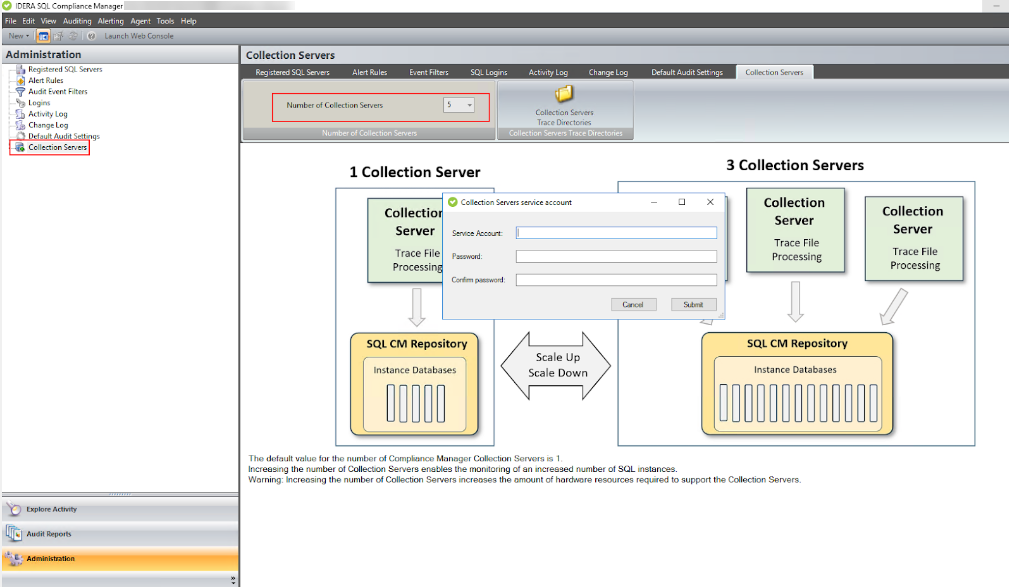
Initially, SQL Compliance Manager is installed with one default collection service, running on port 5201.
| Info |
|---|
| Increasing and decreasing the count requires providing administrative account credentials and a manual restart of all agent services. |
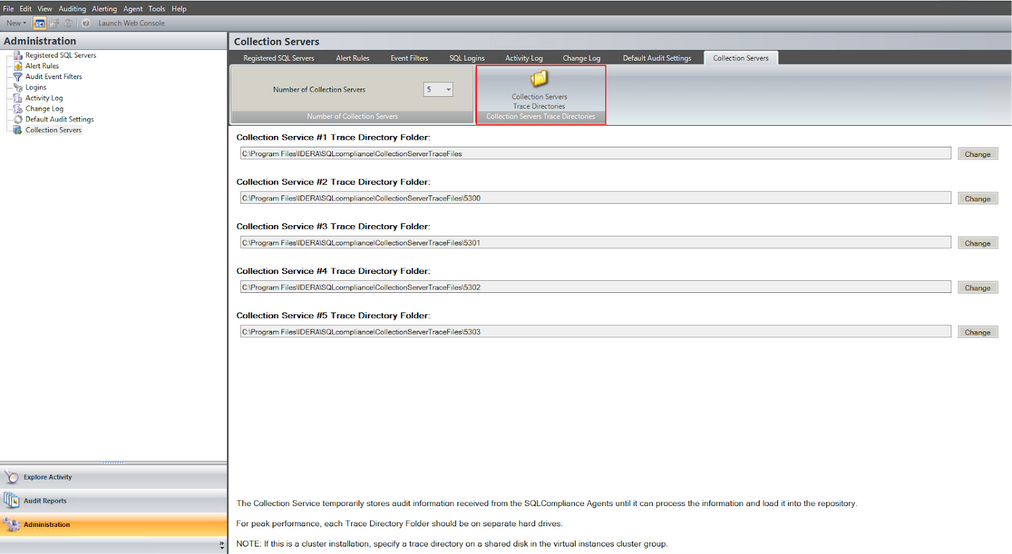
Trace directories can be changed and configured for each service. Default directories are named under the port used by their respective collection service.