Page History
...
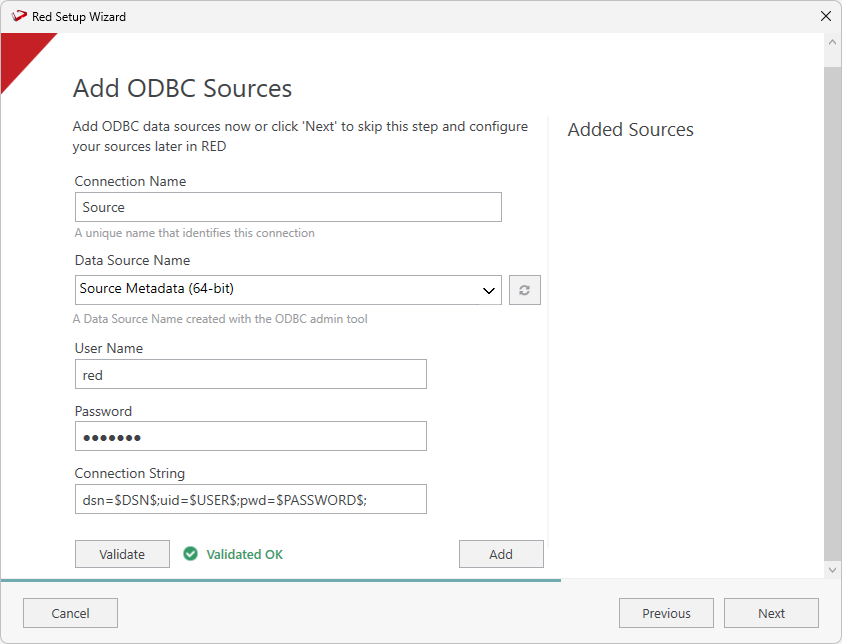
- On the Add ODBC Sources screen, configure a connection with 'Source' as the connection name, select the DSN relating to your existing RED 8.6 or 9.0 metadata repository. Click Validate to check your connection and then click Add.
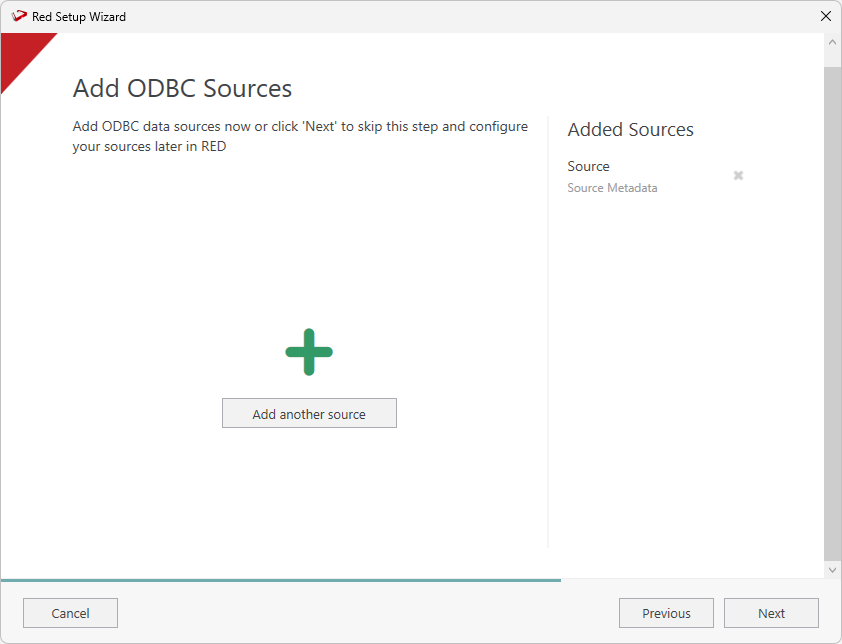
- The Add ODBC Sources screen will show the connection you just added. Click Next to continue or click Add another source to add more sources.
Review and Finalize the Install
...