Page History
...
Copy the file
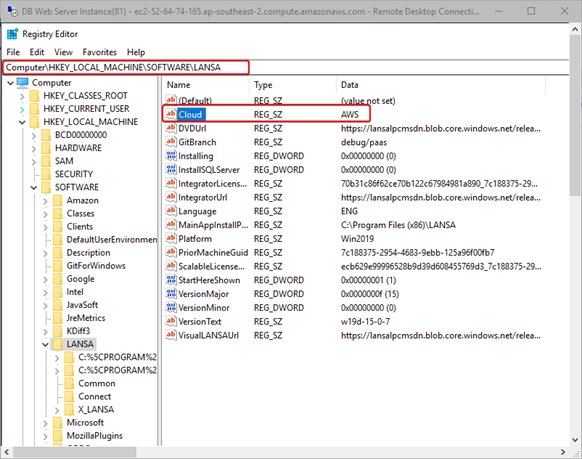
x_cpu.exefrom the Tools directory of a LANSA system at the supported level specified above to a VM in your Cloud.Set the type of Cloud to AWS or Azure in this registry entry.
- For AWS run:
X_cpu -cAWS
- For Azure run:
X_cpu -cAZR
- For AWS run:
...
- Open a command window.
- Change to the directory where you have copied
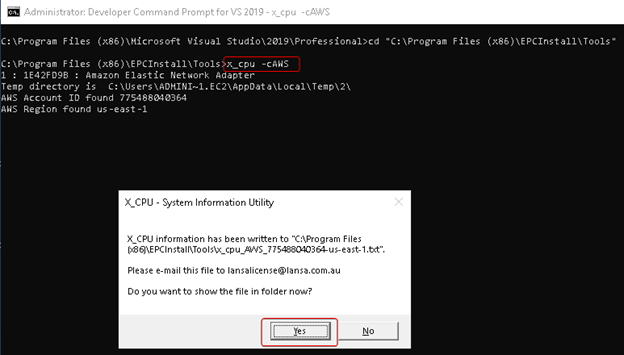
x_cpu.exeto. - Run:
X_cpu -cAWS. - A file will be created named something like
x_cpu_aws_775488040364-us-east-1.txt. - Click on “Yes” and copy the file.
- Repeat these steps for each VM in each region that you require your LANSA application to be running in.
- Send this/these file(s) to LANSA Licensing requesting the required license types, e.g., LXX, NET, WEB.
...