Page History
...
On the RED installation folder, run
RedSchedulerInstaller.exeto start the upgrade process, follow the interactive installer wizardNote title Note For scripted upgrades, the Linux upgrade method described later can also be used on Windows.
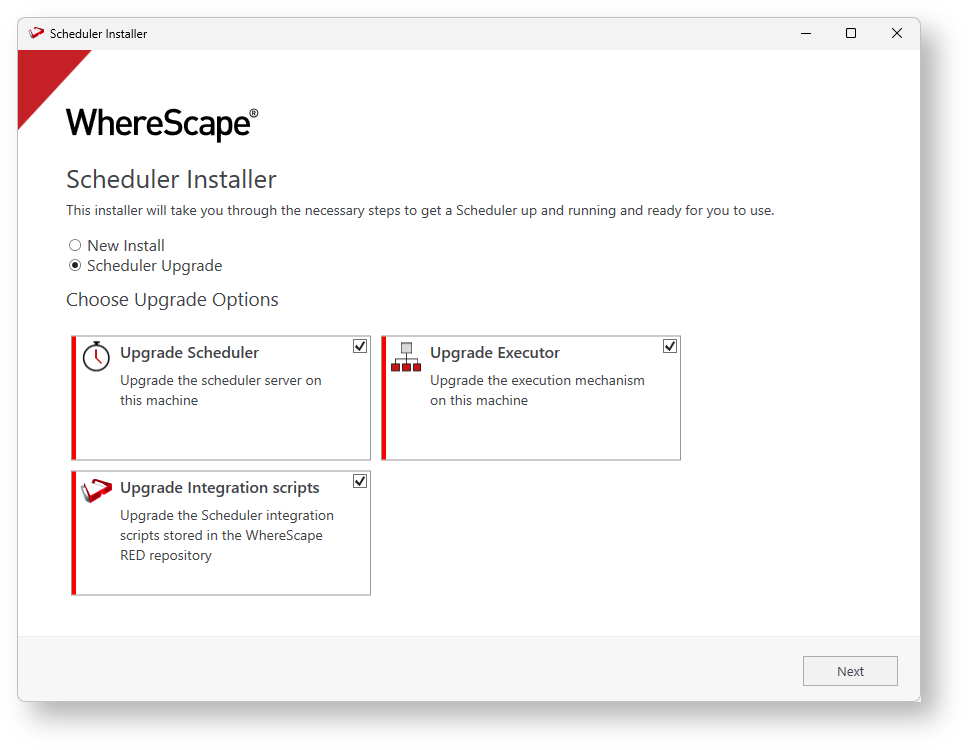
- To upgrade the Azkaban metadata and Web Server on this machine, select Scheduler Upgrade and check the components you want to upgrade.
- Select the location of the scheduler you want to upgrade.

- If you are upgrading from a version lower than RED 10.2, you will be required to specify the profile encryption secret and Windows service credentials.
- The Upgrade wizard will collect all the required connection information from
azkaban.local.propertiesand will show it on the summary window.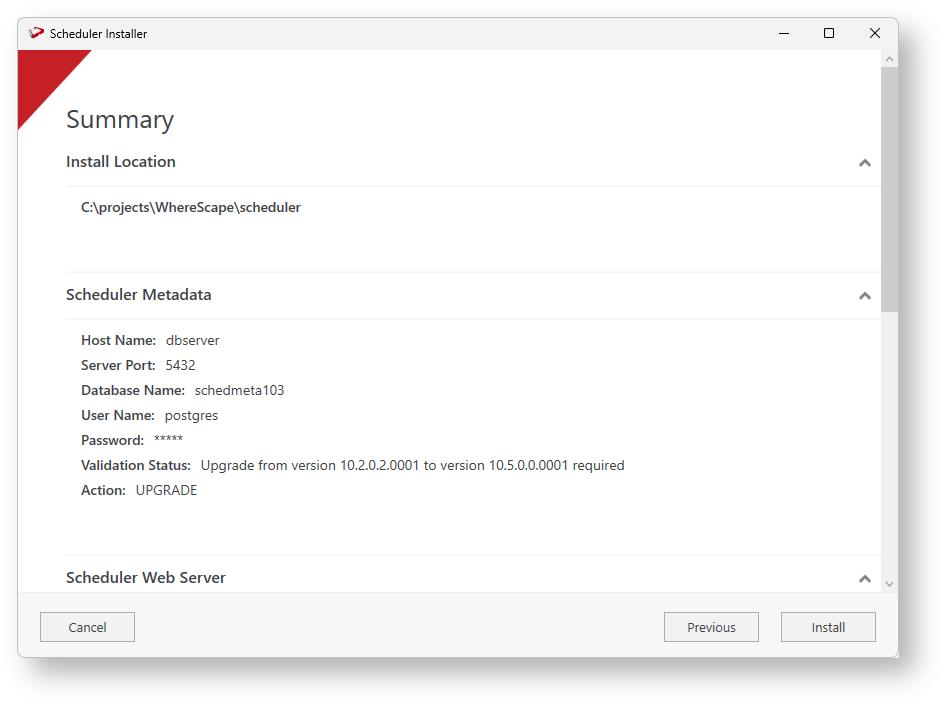
- To proceed through the rest of the installation wizard click Install.
- Post install you need to manually merge any customizations to the
azkaban.local.propertiesand users file as required before starting up your services again.
...