Page History
...
Once you execute the script you will be presented with a dialog where you can enter the Profile Password (used to encrypt any passwords entered) and each connection's credentials as well as an appropriate connection string for use by your scheduler service.
In the Auth Config json field, you can set custom attributes in JSON form; scripts can use these attributes as an environment variable. You can also add authentication tokens that can be used in the Connection String, these tokes get encrypted and added to the Profile file.
| Tip | ||
|---|---|---|
| ||
It is important that you enter and use the same Profile Encryption Secret as you provided in your Azkaban installations otherwise Azkaban will not be able to decrypt these profile records. |

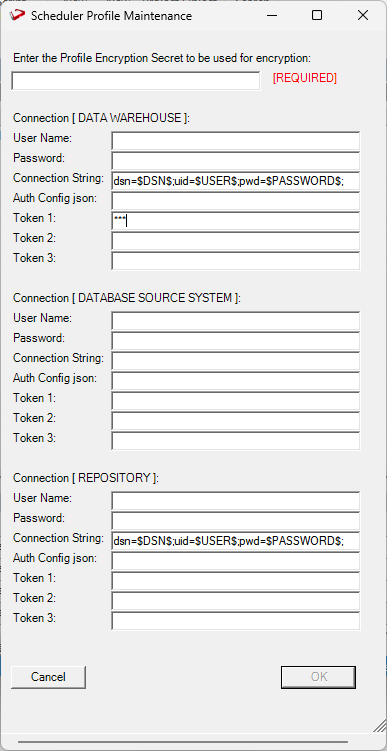
Once you have done entering your Scheduler Profile for each connection, click OK.
...