Page History
...
- Ensure that a file named
.uptmpasswdis created in the Uptime Infrastructure Monitor agentbindirectory -- either/opt/SPYNuptm/bin/or/opt/uptime-agent/bin, depending the version of your agent. This file must be owned and readable by the user that the agent is run as (ex. uptimeagent or uptime users). - Open the file
.uptmpasswdin a text editor. - Enter a password and command pair for each command that you want to run on the agent system. The following is the example format and an example of a agent-side commands:
Format:
[password] [command path, no arguments]Example file contents:
Code Block language powershell secretpassword /opt/uptime -agent /my -scripts /show_temp.sh $%^& /usr/local/bin/appstatus.sh
...
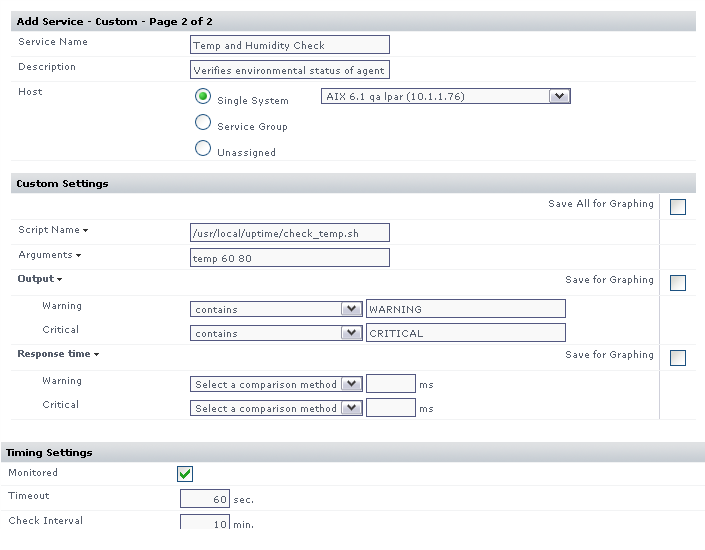
The image below illustrates a sample monitor configuration. This service monitor will indicate a WARN or CRIT whenever the monitoring station custom script returns WARNING or CRITICAL in its output.