Page History
...
Use the AI Powered Query Optimization feature to optimize a single, problematic SQL query to reduce execution time based on your current schema and index structure.
>>>IMAGES
...
To use AI Powered Query Optimization
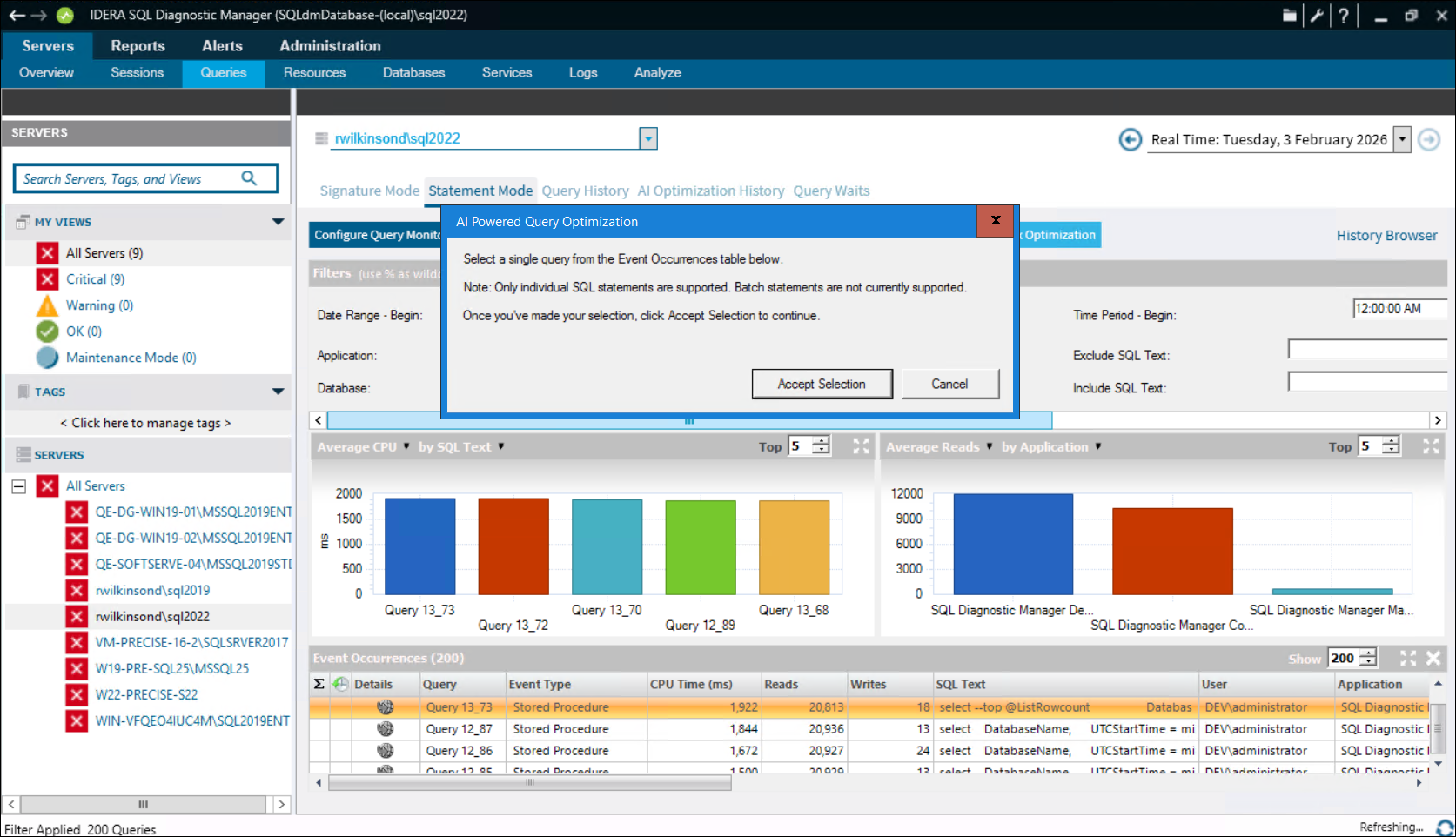
- On either the Signature Mode or Statement Mode tab, locate the single query that you want to optimize from the Event Occurrences table. Note that the selection must be an SQL statement as SQL Query Optimization currently does not support batch statements.
- Select the
...
- query, and then
...
- click Accept Selection.
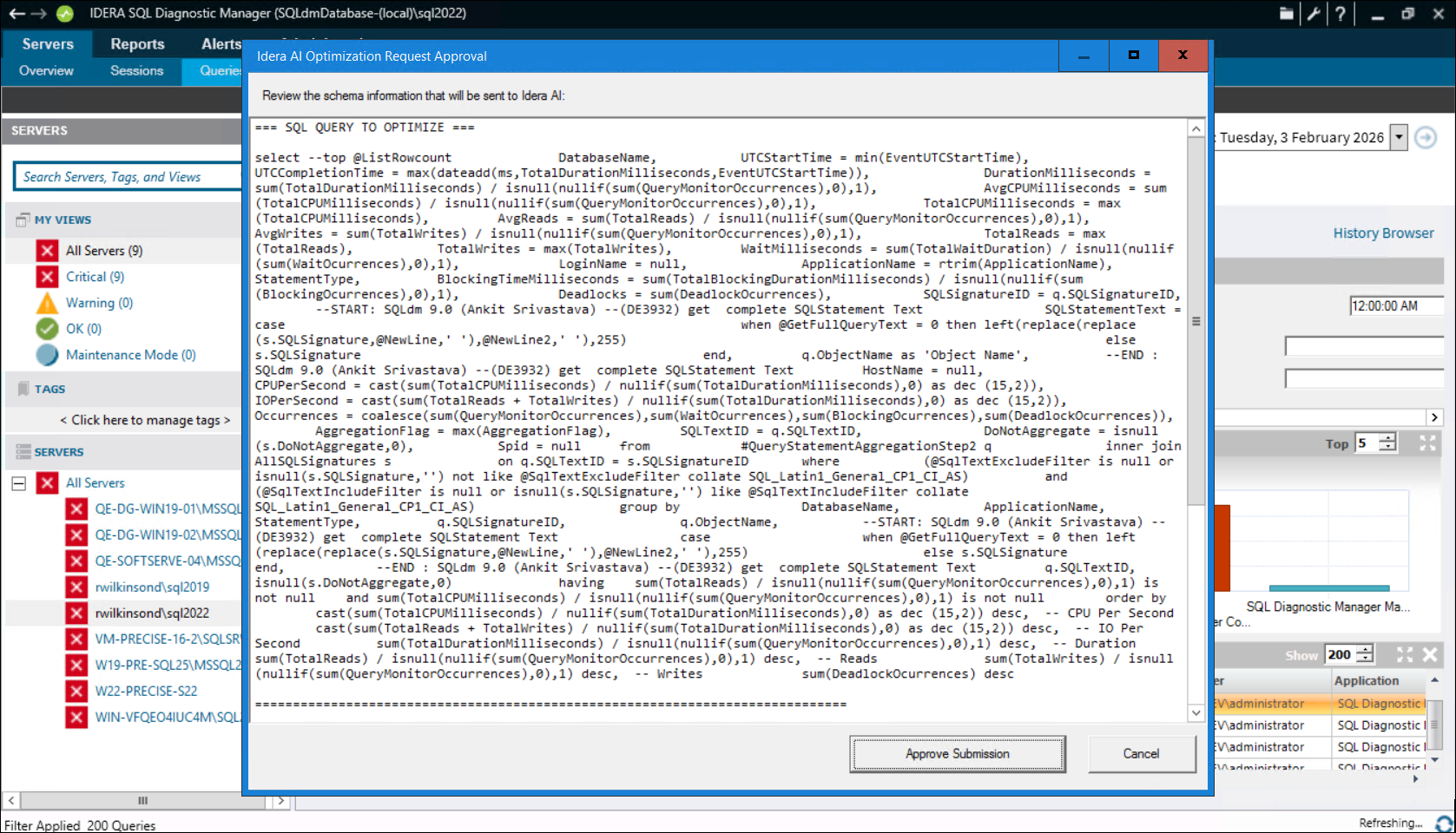
The AI Optimization Request Approval dialog appears. - Review the provided schema before sending the information to AI, and then
...
- click Approve Submission.
SQL DM then sends the content for optimization and displays the AI Query Optimization Results dialog. It takes a moment for the process to complete, and until then, the AI Optimization Results area is blank. Once complete, the AI Response appears, displaying the Summary, SQL Code, and the Rollback Code so you can go back on the changes if necessary.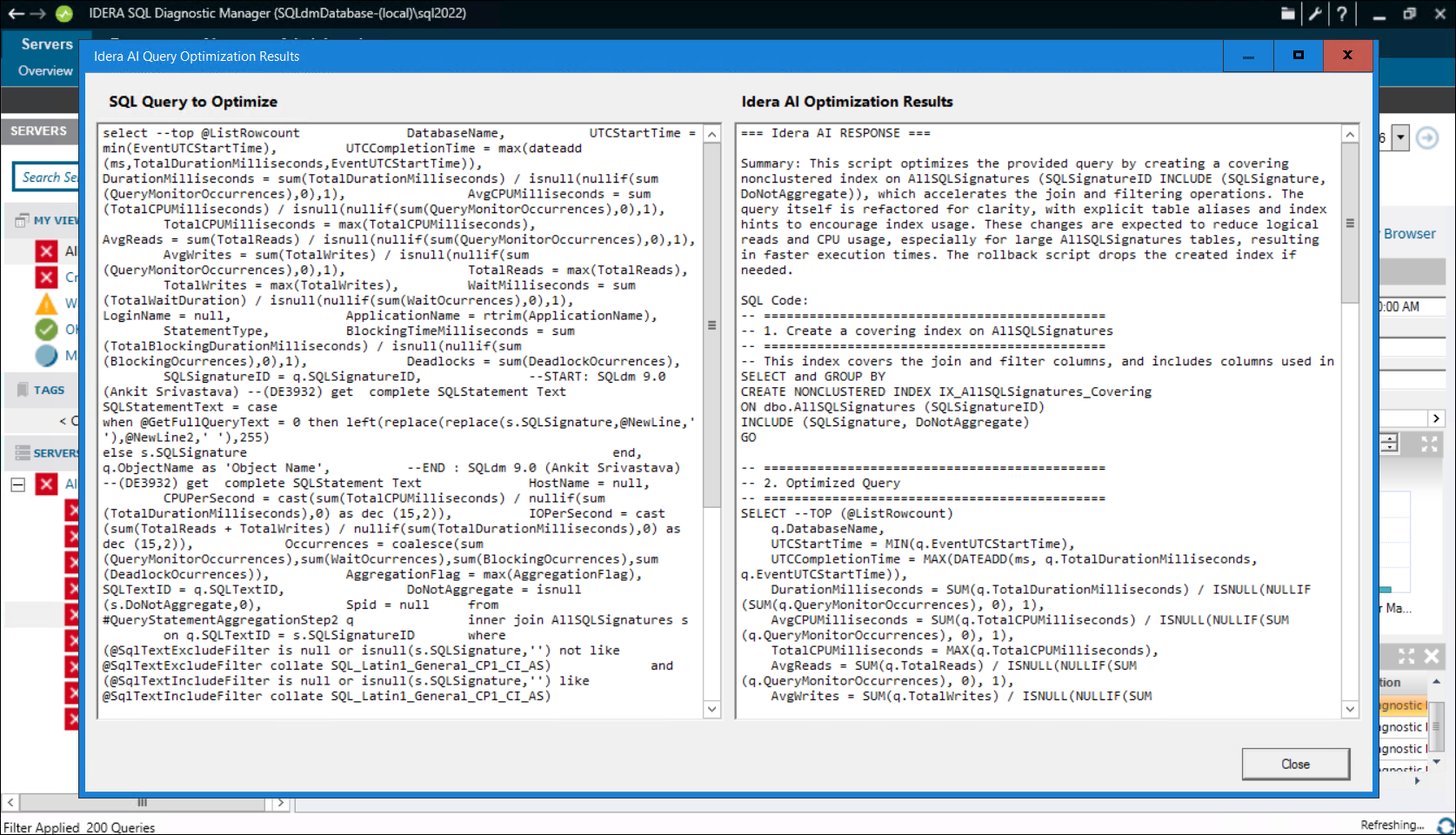
- Use the copy and paste functions to use the displayed code.
...
- Click Close when done.
Using AI Powered Schema & Index Optimization
...