Page History
...
2. Create a New Project:
a. Display the Studio Workspace tab.
b. Select and right click on Projects to open the context menu.

c. Select New Project to open the LANSA Integrator Studio dialog box.
3. Enter the name of your new project, in this case iii JSON Tutorial where iii are your unique three letters, in the LANSA Integrator Studio dialog box and press OK.

A new tab will appear at the bottom of the studio workspace for the project.
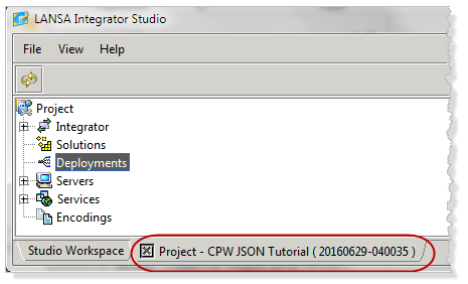

Notice that Integrator Studio has assigned a unique identifier to the project based on the date and time you created the project. This identifier is important later when it comes to retrieving, modifying, and deploying the properties for the solutions contained in the project.