Page History
[  |../../index.htm#lansa/vlfonetutorials_0050.htm]
...
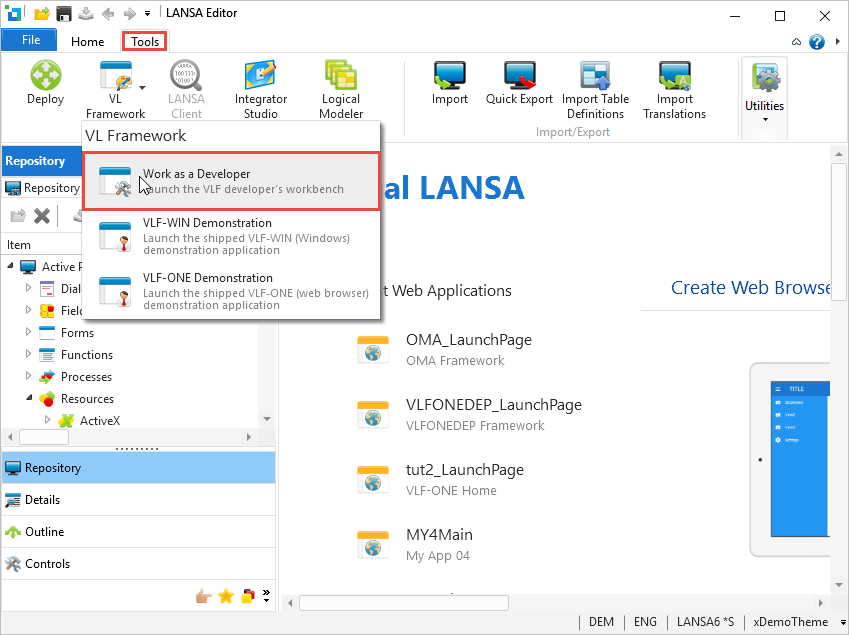
Use the Tools ribbon in the Visual LANSA editor to select VL Framework > Work as a Developer:
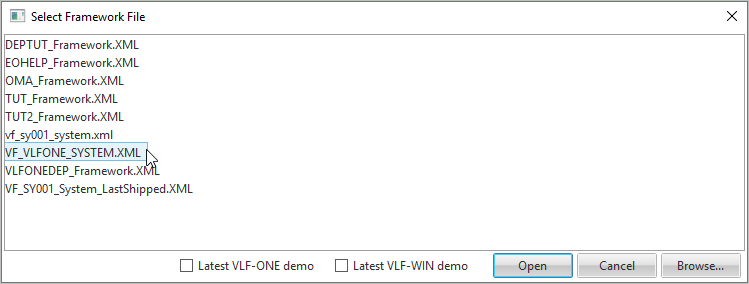
Select VF_VLFONE_SYSTEM.XML.
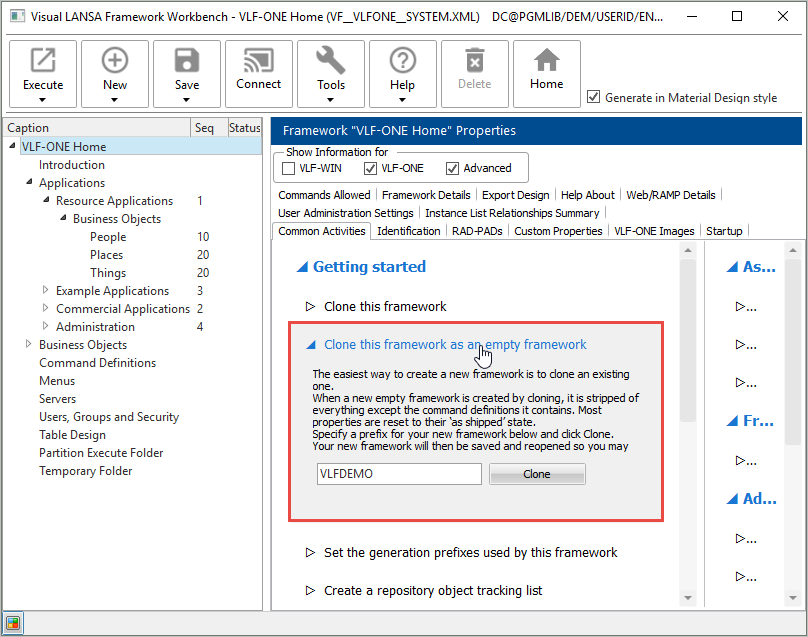
Create your own Framework by cloning the shipped Framework as an empty Framework. To do this display the Common Activities for the Framework and expand Clone this framework as an empty framework:
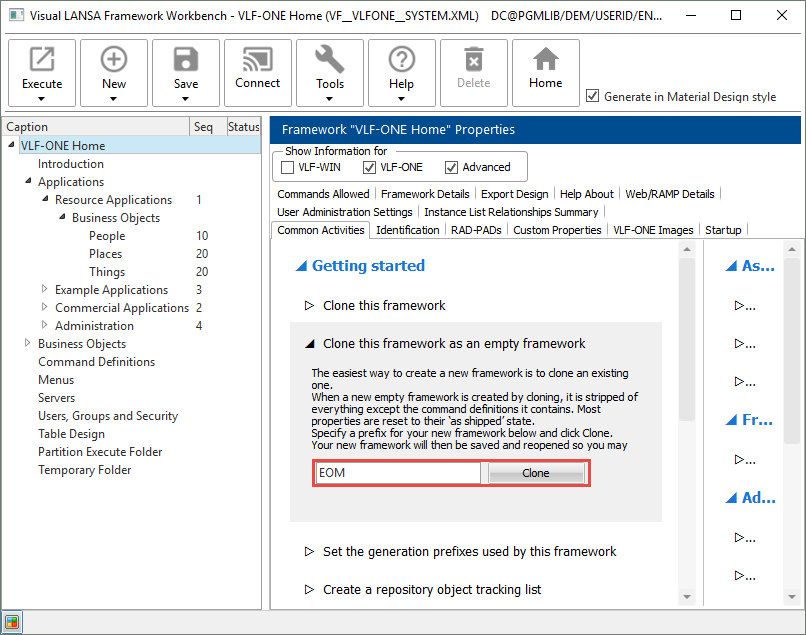
Specify a prefix for your new Framework and click Clone. We recommend that the prefix is unique to your Framework and not later changed.
Your new Framework is created and started (the shipped Framework is closed):
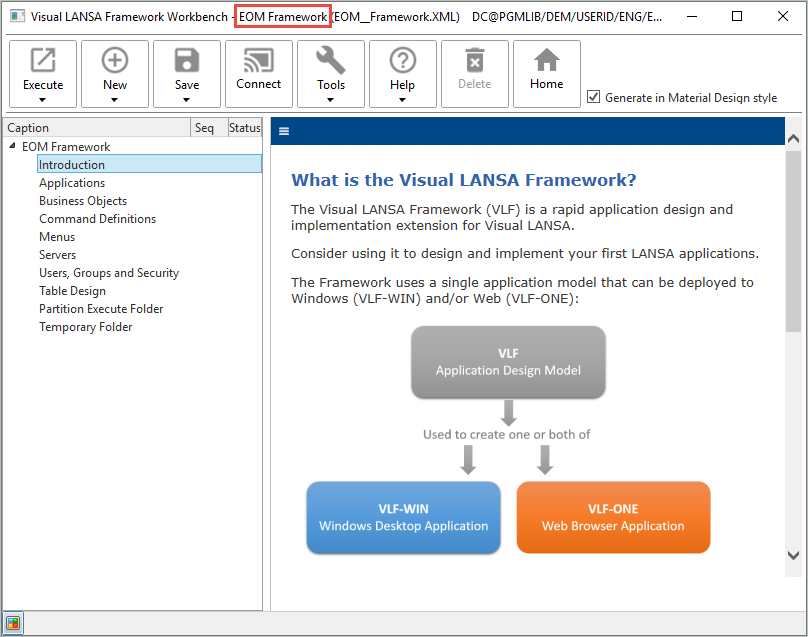
Note that your new Framework does not contain any applications or business objects because you chose to clone an empty Framework.
[ |../../index.htm#lansa/vlfonetutorials_0050.htm]