Page History
[  |../../index.htm#lansa/vlfonetutorials_0185.htm]
...
Use
...
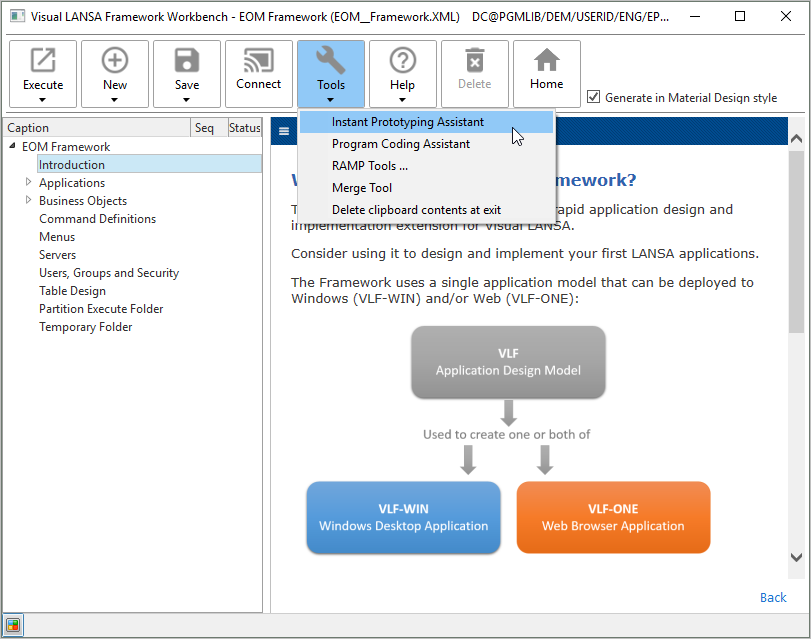
Use Tools > Instant Prototyping Assistant to start the Instant Prototyping Assistant:
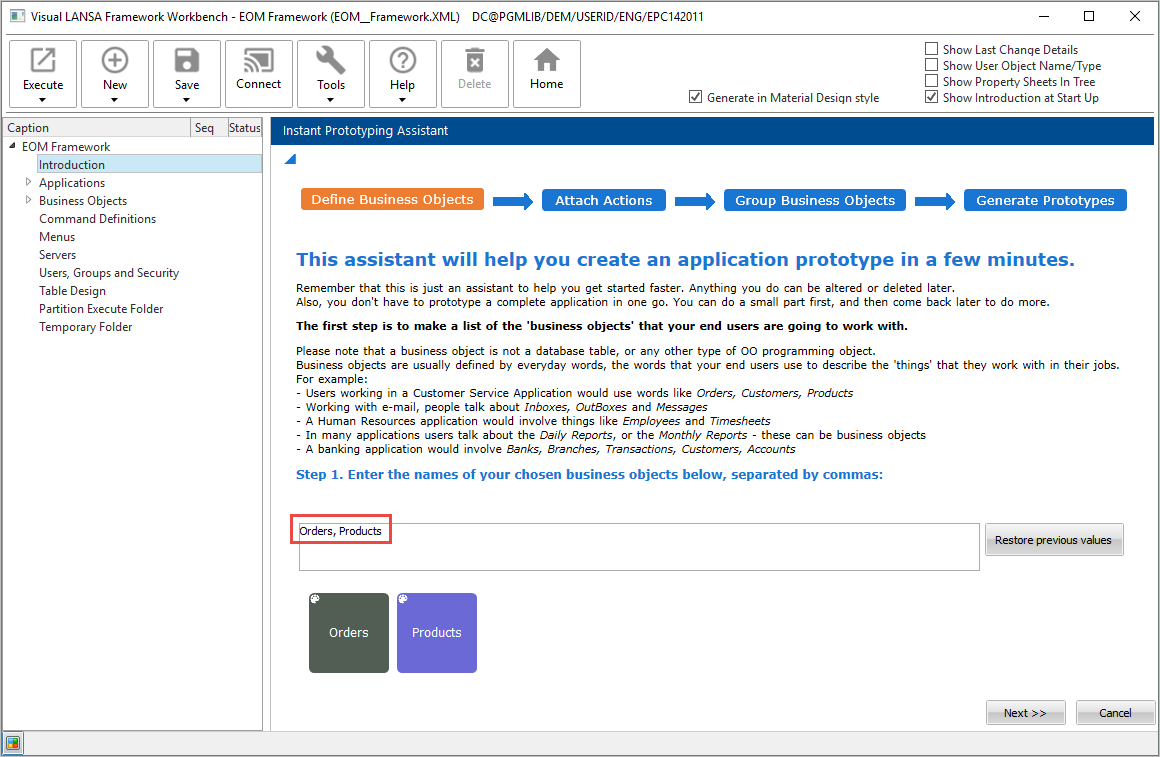
Enter the names of the business objects you want to create:
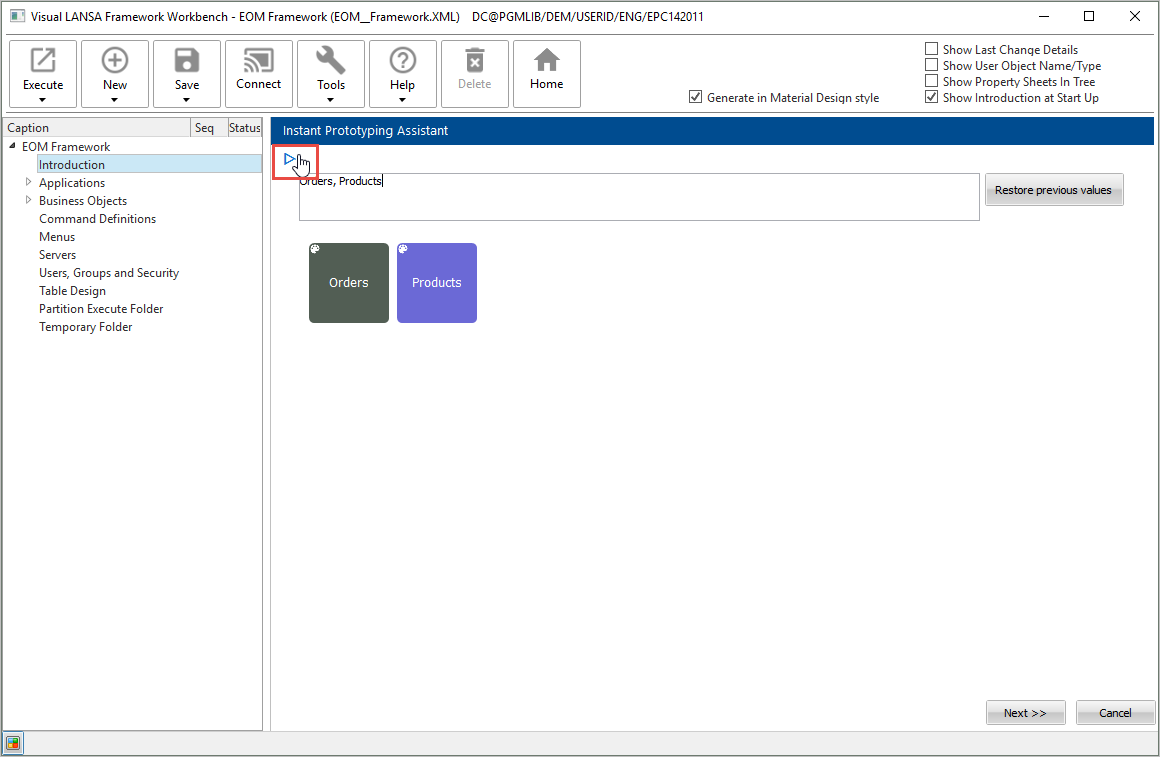
The detailed instructions on the Instant Prototyping Assistant can be hidden using the arrow on top left:
Click Next.
Specify the commands to be associated with the business objects:
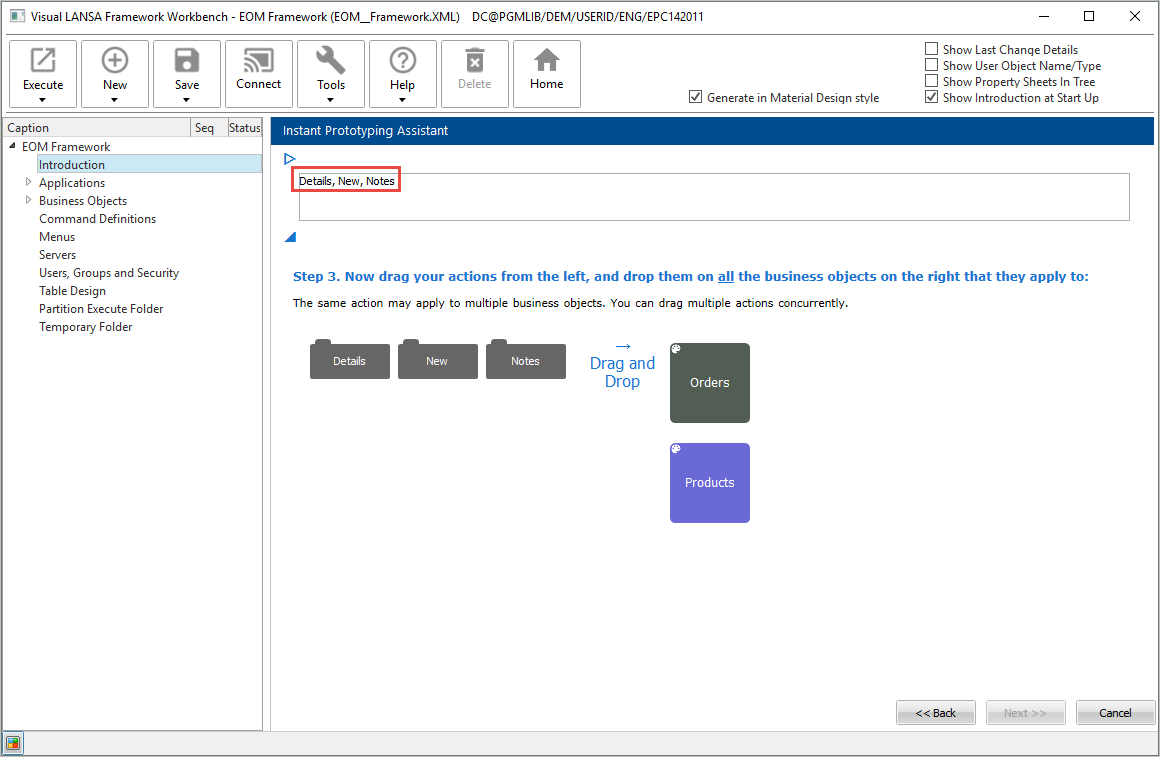
Then drag and drop the commands on the business objects:
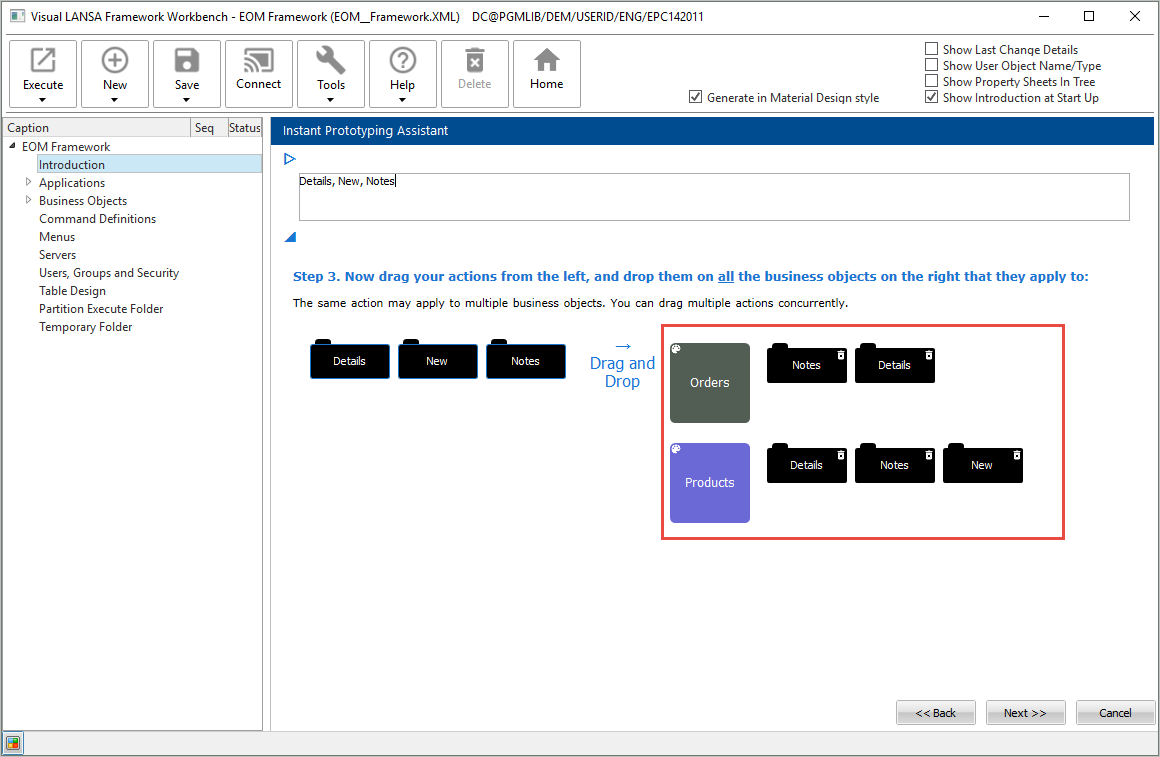
Click Next.
Type in the name of a new application if you are creating one.
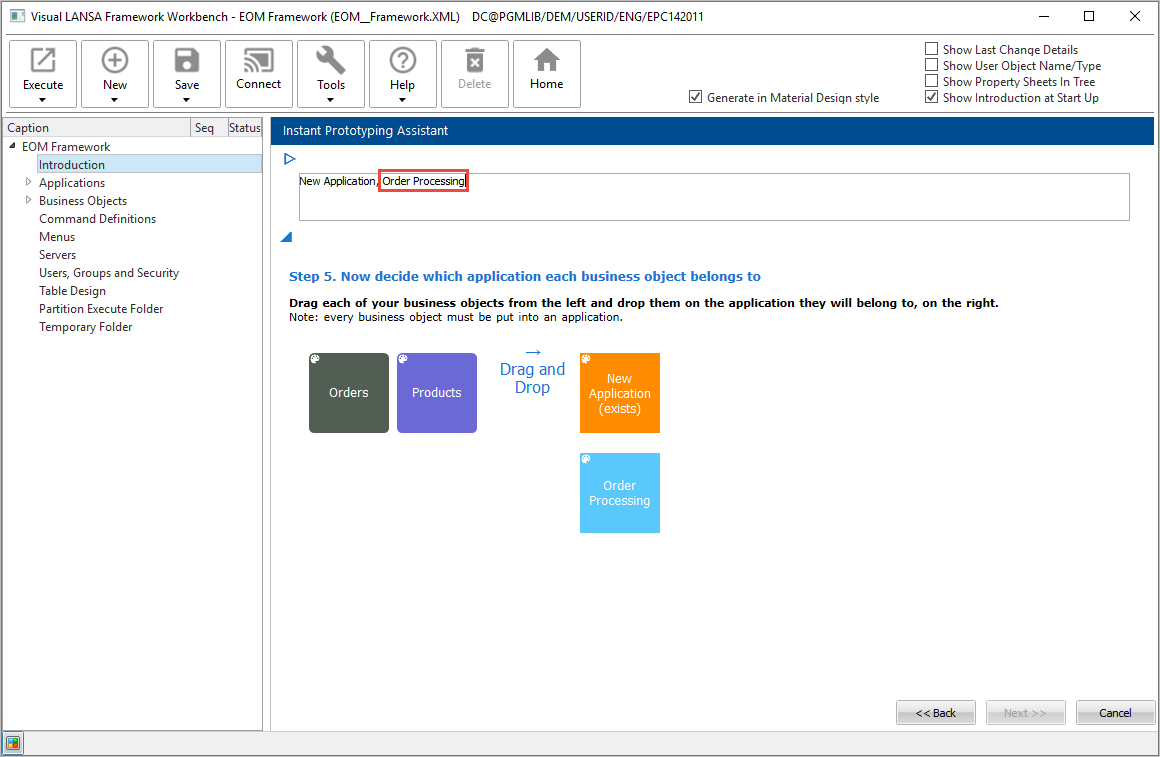
Drag and drop the business objects on the application they will belong to.
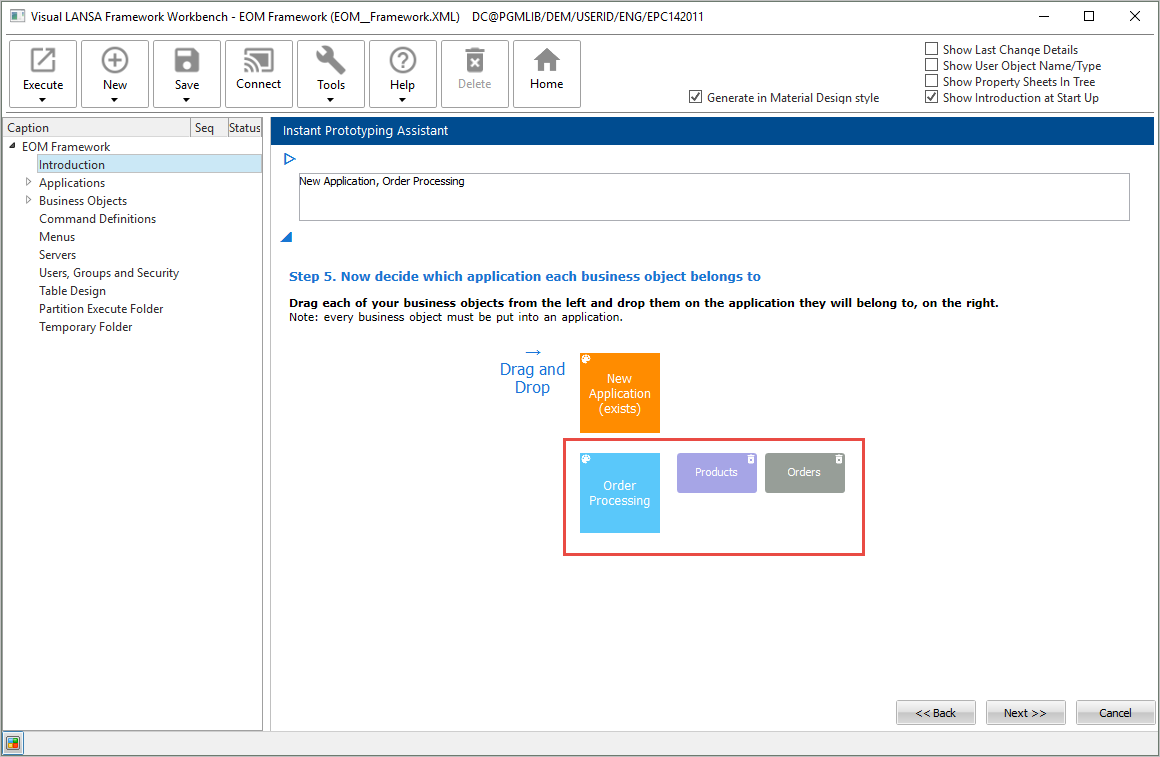
Click Next. Then click Finish to create your prototype:
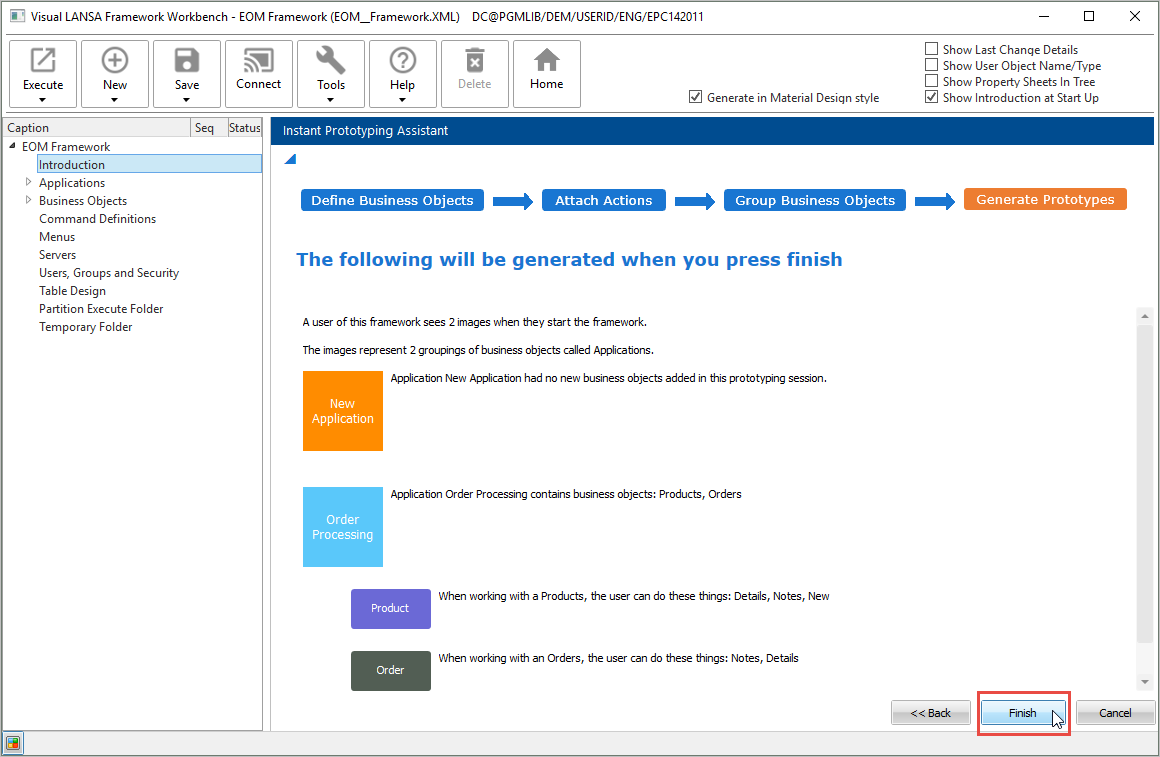
The Framework is restarted.
You can now see your application and business objects in the navigation tree in the workbench.
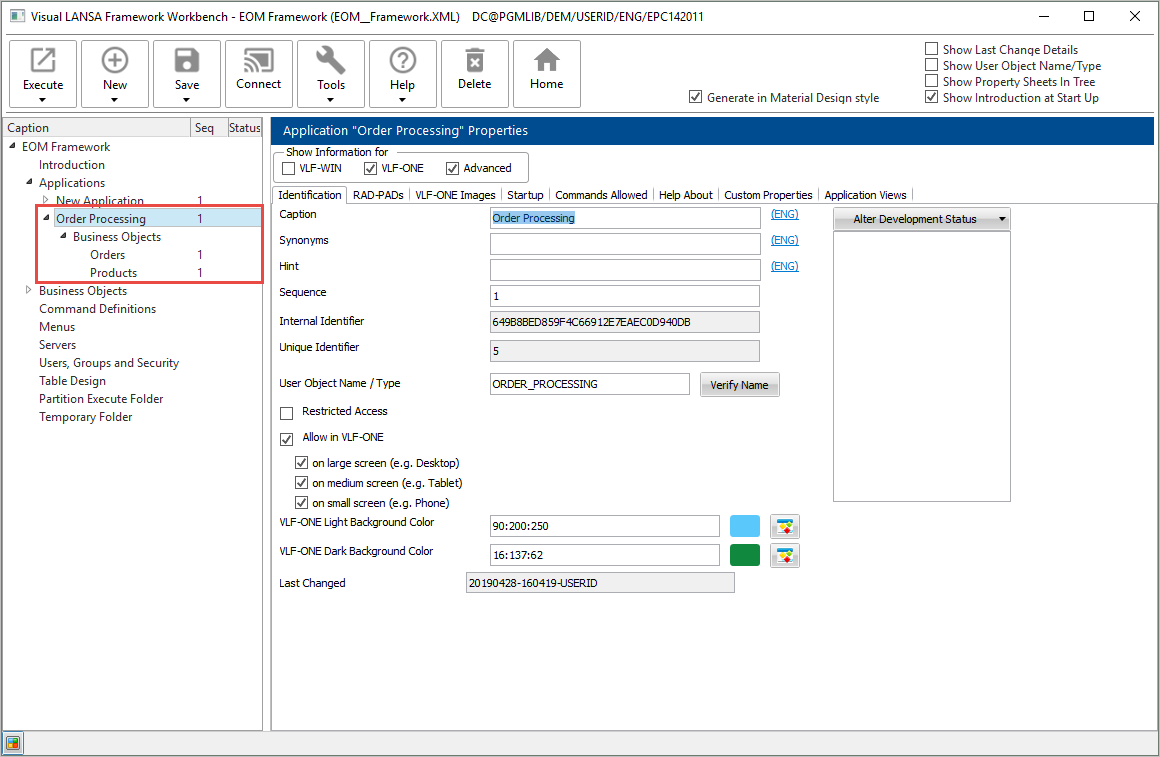
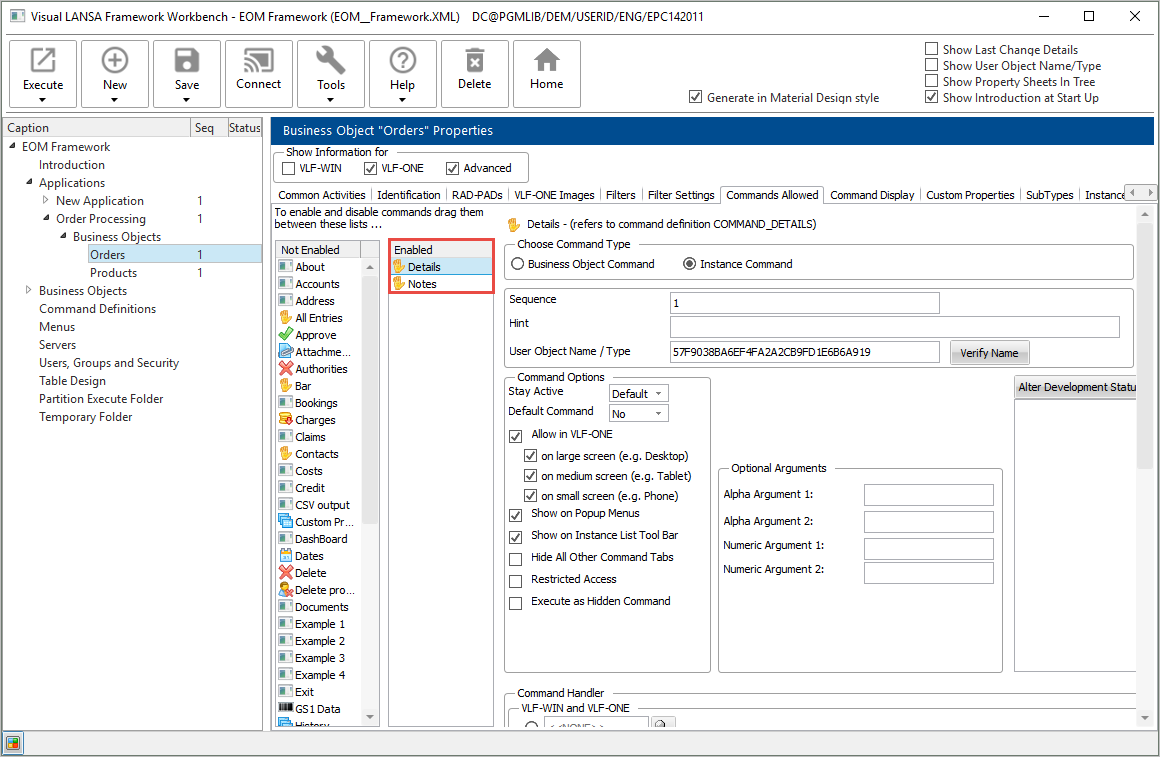
Select Orders and view the Commands Allowed tab to see the commands created for this business object by the Instant Prototyping Assistant:
[ |../../index.htm#lansa/vlfonetutorials_0185.htm]