Page History
[  |../../index.htm#lansa/webserviceseng01_0105.htm]
You are here:
...
API configuration is associated with a project, so you need to create a project and enable the Google Translate API for that project.
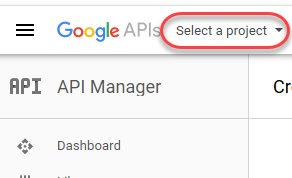
To create a new project, click on the Select the Select a Project dropdownProject dropdown.
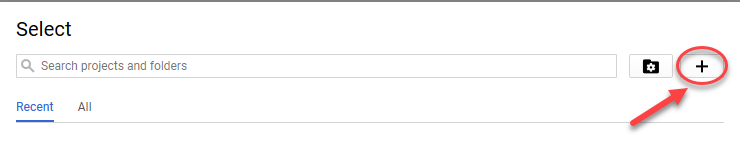
You will be presented with a Select Project dialog a Select Project dialog box, click on the the + signsign:
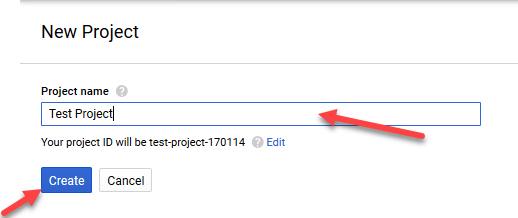
You will now see the New Project screenthe New Project screen.
Fill up the Project Name the Project Name (for example, TestProject), then click the Create buttonthe Create button.
You will now be back on the main console screen.
Click once more on the Select Project dropdownthe Select Project dropdown.
You will be presented with a Select Project dialog, this now you should see your newly created project (e.g. TestProject) there.
Select that project.
Next: Enable the Translate API
[ |../../index.htm#lansa/webserviceseng01_0105.htm]