Page History
[  |../../index.htm#lansa/vlfonetutorials_0530.htm]
...
In this exercise you add a command, Timer, to the Framework toolbar and create a command handler which demonstrates how an asynchronous process allows the user interface to update.
In the Common Activities for your Framework, select Add a new command to the toolbar. Change XXXXX to Timer in the command name, make the command's caption Timer and specify that it has a user interface (i.e. it is visible).
Click Create and choose Create and Open in Editor.
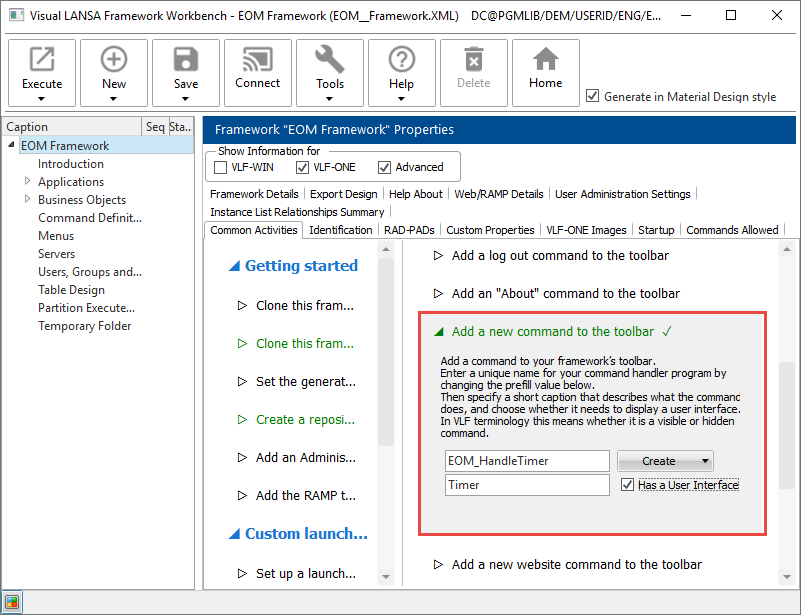
When a Timer command handler has been created and snapped in, switch to the Visual LANSA editor where the Timer component is open.
Switch to the Source tab and replace the code in it with this code:
| Code Block |
|---|
Begin_Com Role(*EXTENDS #VF_AC010O) Height(241) Width(457) |
...
Define_Com Class(#PRIM_LABL) Name(#VisibleCounter) Displayposition(1) Height(129) Left(16) Parent(#COM_OWNER) Tabposition(1) Tabstop(False) Top(56) Width(401) Verticalalignment(Center) Style(#BigFont) Caption('Stopped') Alignment(Center) |
...
Define_Com Class(#Prim_phbn) Name(#StartCount) Parent(#COM_OWNER) Caption('Start Count') Displayposition(3) Tabposition(3) |
...
Define_Com Class(#Prim_phbn) Name(#StopCount) Parent(#COM_OWNER) Caption('Stop Count') Displayposition(2) Tabposition(2) Left(96) |
...
Define_Com Class(#Prim_vs.Style) Name(#BigFont) Fontsize(72) Textcolor(Blue) |
...
*------------------------------------------------------------------------------ |
...
Evtroutine Handling(#StartCount.Click) |
...
Define_Com Class(#std_Int) Name(#PhysicalCounter) |
...
#Com_Owner.avQueueAsyncOperation Operationid(Count) Parameterreference1(#PhysicalCounter) |
...
Endroutine |
...
*------------------------------------------------------------------------------ |
...
Evtroutine Handling(#StopCount.Click) |
...
#Com_Owner.avQueueAsyncOperation Operationid(Stop) |
...
Endroutine |
...
*------------------------------------------------------------------------------ |
...
Mthroutine Name(avExecuteAsyncOperation) Options(*REDEFINE) |
...
Define_Com Class(#std_Int) Name(#UseCounter) Reference(*DYNAMIC) |
...
Case (#OperationID) |
...
When (= Count) |
...
#UseCounter <= #ParameterReference1 *As #Std_Int |
...
#UseCounter += 1 |
...
#VisibleCounter := #UseCounter.AsString |
...
#Com_Owner.avQueueAsyncOperation Operationid(Count) Parameterreference1(#UseCounter) |
...
When (= Stop) |
...
#VisibleCounter := "Stopped" |
...
#KillOtherPendingOperations := True |
...
Otherwise |
...
#SYS_WEB.Alert Caption("Unknown operation id " + #OperationID) |
...
Endcase |
...
Endroutine |
...
End_Com |
...
Compile the command handler.
In the workbench, execute the Framework and click Timer on the toolbar:
...
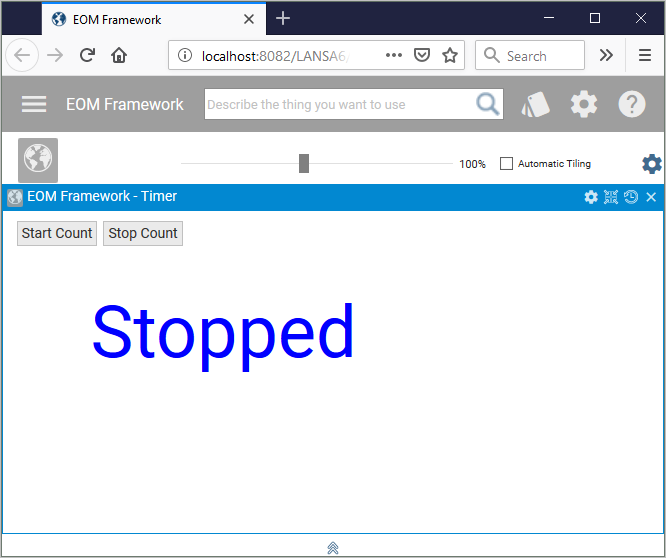
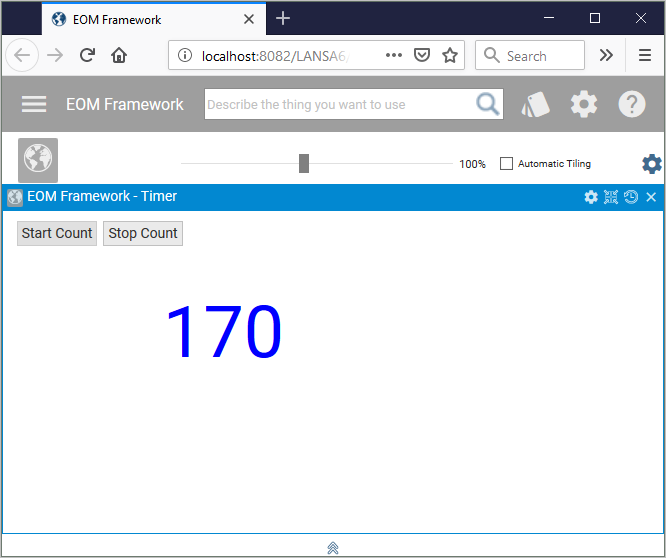
Click Start Count to start the timer.
...
...