Page History
[  |../../index.htm#lansa/lansa048_1200.htm]
...
In this step, you will execute a shipped sample application. You will be introduced to business objects, filters, instance lists, commands and command handlers. For more information, see Key Concepts.
1. The applications in the Framework are shown on the left. As
As you expand the different applications, you can see the business objects associated with them.
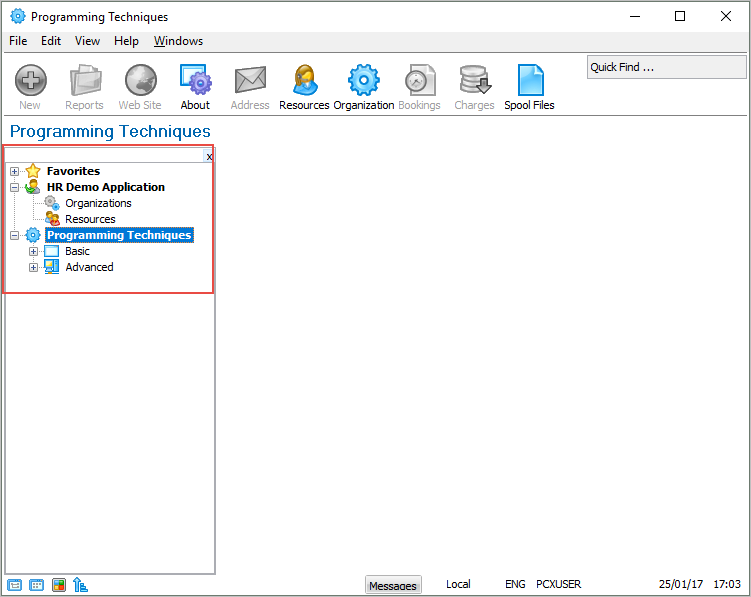
2. Select the Programming Techniques application, then expand the Basic node.
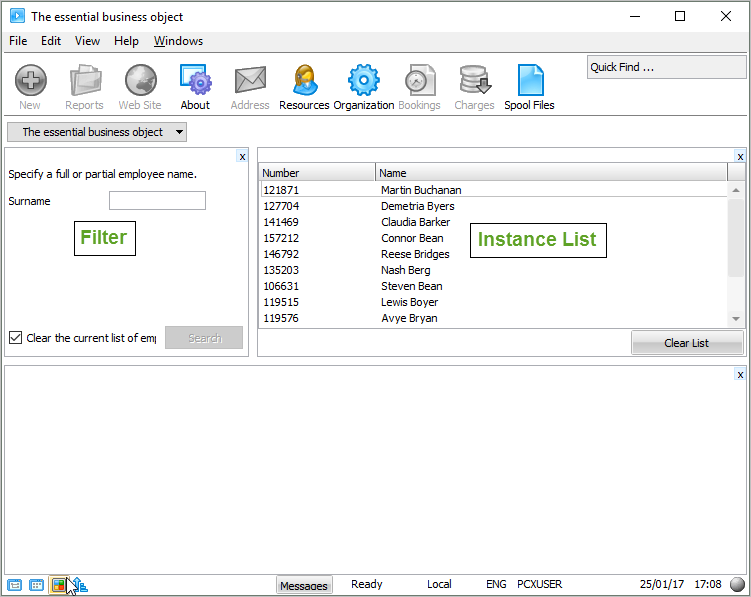
3. Select The Essential business object. Two
Two panels appear.
The The left panel is the filter which that is used to search through the employee data.
The The right panel shows an instance list with the results of an employee search.
Use Use the buttons on the bottom left to show the navigation tree as a button.
[ |../../index.htm#lansa/lansa048_1200.htm]