Page History
[  |../../index.htm#lansa/lansa048_1260.htm]
...
In this step, you will define the business objects.
1. Select the iiiHR application.
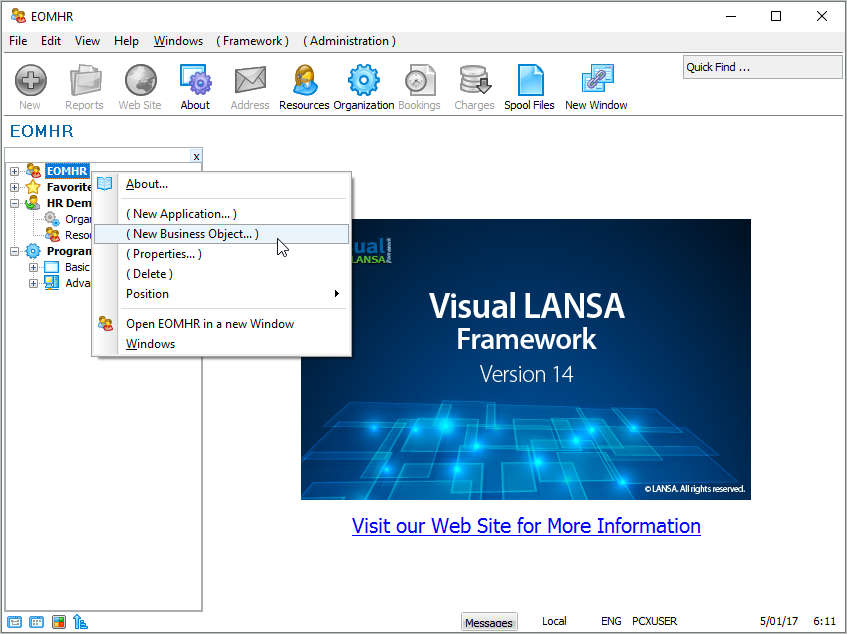
2. Right-click the application to bring up the pop-up menu and choose the New Business Object… option.
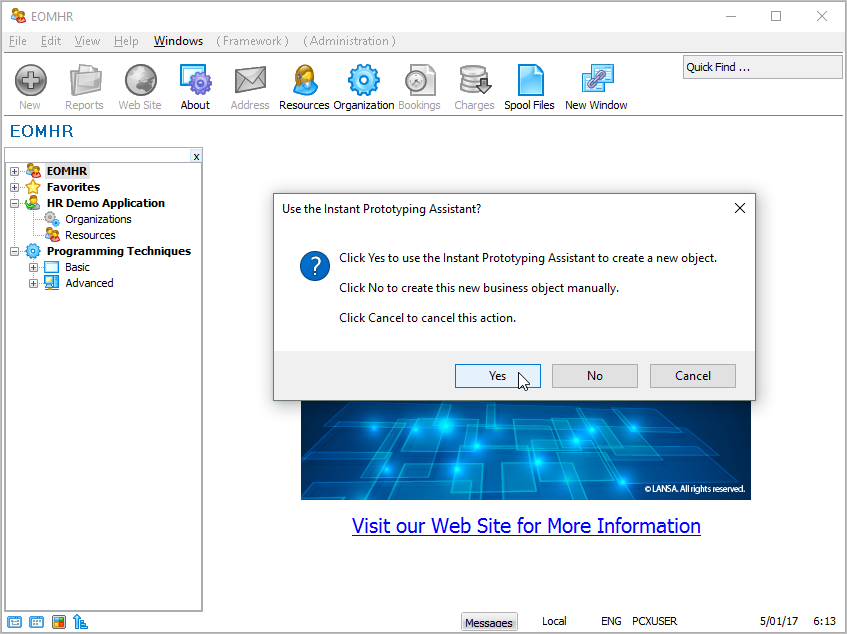
A dialog asking if you want to use the Instant Prototyping Assistant is displayed:
The Instant Prototyping Assistant allows you to define the entire structure of your application including all the applications, business objects within those applications and the commands that are used by each business object. You can always manually add everything, but when you are starting your prototype this method provides results much more quickly.
3. Click on the Yes button. The Instant Prototyping Assistant window is displayed.
4. Type in Employees and Statistical Reporting as the Main Business Objects that will be part of your iiiHR application. Notice that each business object is separated by a comma.
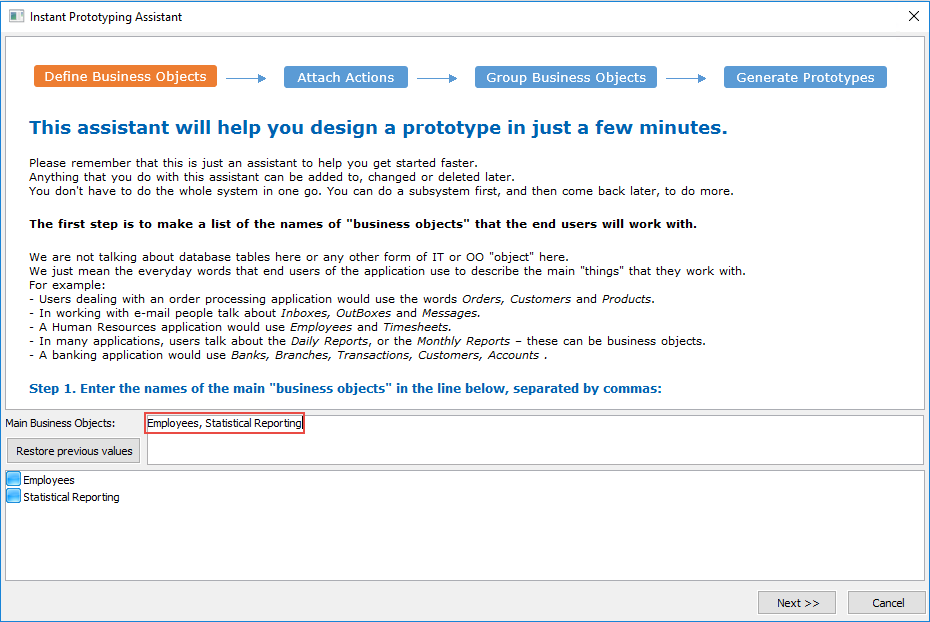
5. Click the Next button.
[ |../../index.htm#lansa/lansa048_1260.htm]