Page History
...
In this step you will add code to your screen script signal the new employee number when a new employee is created.
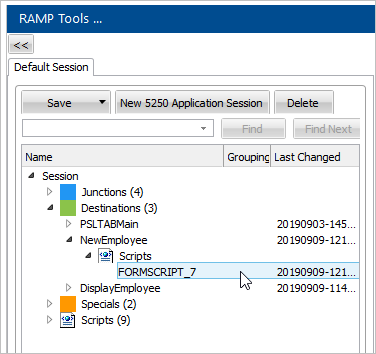
1. In RAMP Tools, locate the script for the NewEmployee screen. 
2. Locate the BUTTONCLICK function, then the statement declaring bReturn variable.
3. Add this statement to declare an oEmp object which will be used to pass the employee number:
var oEmp = new Object();
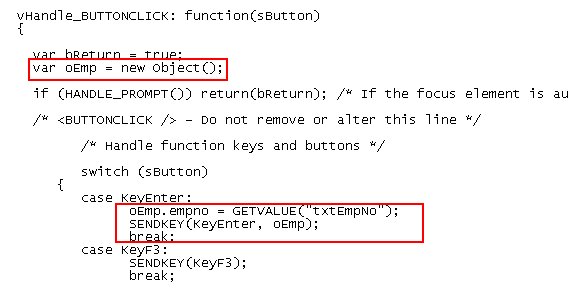
Your code should look like this:

4. Then locate the statement handling the pressing of the Enter key (KeyEnter).
5. Add this statement before the SENDKEY statement to retrieve the value of the employee number of the new employee to the oEmp object:
oEmp.empno = GETVALUE("txtEmpno");
6. Change the SENDKEY function to pass the employee number payload:
SENDKEY(KeyEnter, oEmp);
Your code will look like this:
7. Commit the changes.
You will use the employee number payload in the following steps.
Show Contents List