Page History
...
In this step you will identify the Display Program Messages screen even if it has not appeared.
- We recommend you identify and classify as many screens that can appear unexpectedly as possible.
- You should always use an additional identifier for system screens. It will prevent potential signature conflicts.unmigrated-wiki-markup
- \[other examples of specials …\]
Sign off this RAMP design session to arrive at the MainLogin screen.
Outside the Framework, start a 5250-emulation session and sign in to the same machine using the same user profile.
In the RAMP design session, sign back.
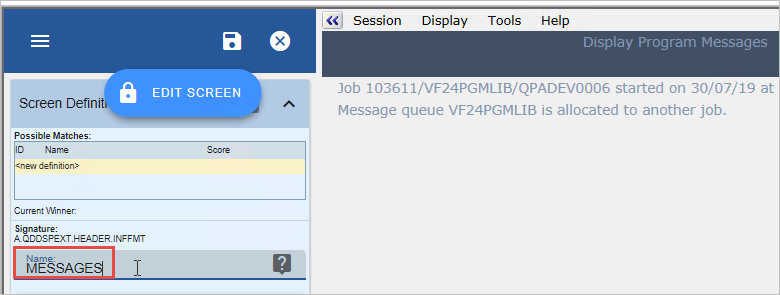
Because you are already signed in another session, the Display Program Messages screen is displayed: 

Name this screen MESSAGES.
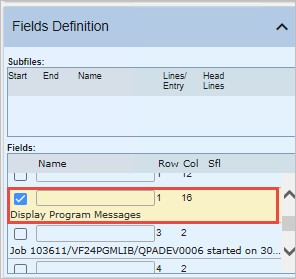
Choose the screen title as the additional identifier.
Click Save to save the MESSAGES screen.
Show Contents List