Page History
Save the framework and execute as a VLFONE application.
Select Customer from the menu, and display the details of a customer.
The Customer Maintenance screen now looks like this:
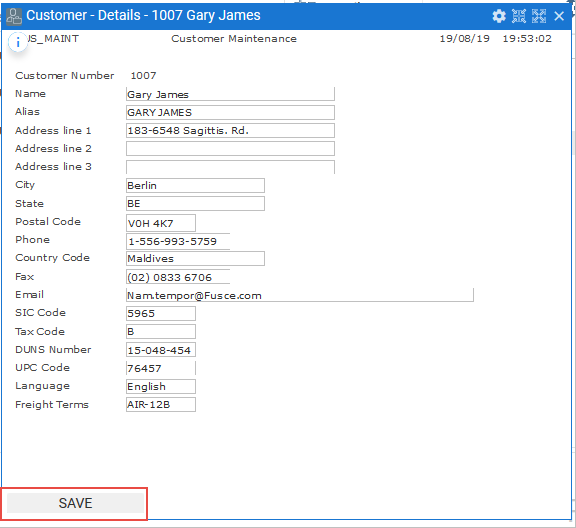
Try pressing a disabled function key, for example F12, to verify it is not enabled.
...
Execute the framework as a VLF-ONE application.
In the RAMP Tutorials application choose Orders and choose any filter option to produce a list of orders.
For example, order number 5016 belonging to customer Ferdinand Pacheco:

Now choose the Customers business object and filter customers to show the same customer as the Order being displayed:
In the Order details change Adress Line 1 to New Address.
Click on the Cust Align button and see how the values for the Customer change as well:
Show Contents List