Page History
[  |../../index.htm#lansa/lceeng01_0235.htm]
You are here:
...
- Open the query Query Basics.LCQ
...
- which you have saved in a previous exercise.
...
This query is over the Employee file and displays the Department code, Employee Identification, Surname, Given Names and Annual Salary.
a. From the toolbar select the File menu and then choose the Open command. Alternatively, you could select the Open an existing query icon from the toolbar.
b. Select to open Query Basics.LCQ
...
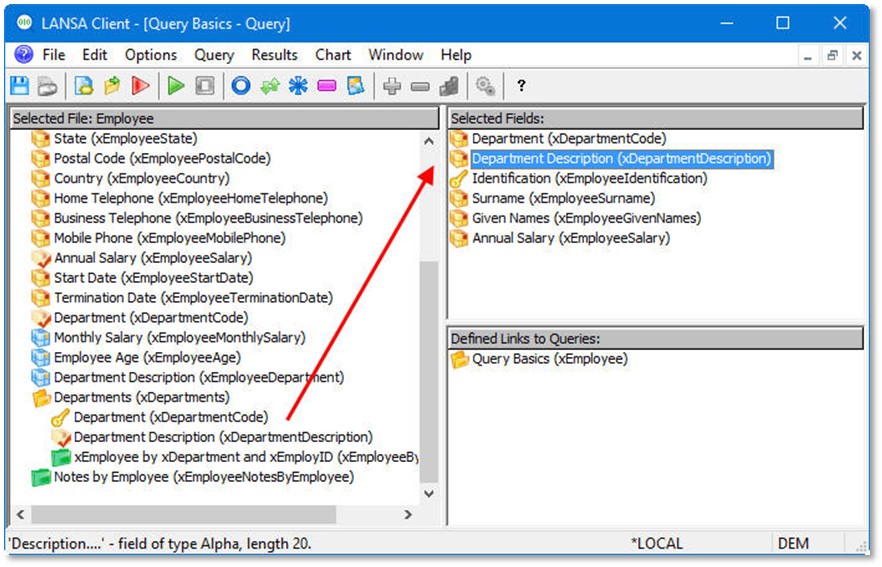
- Add the following fields to your query:
- Department Description from the Department file (after Department code).
| Tip |
|---|
| Hint: Double click on the secondary file to expand it and select the field(s) you require. |
[ |../../index.htm#lansa/lceeng01_0235.htm]