Page History
[  |../../index.htm#lansa/usrtut01_0120.htm]
You are here:
...
In this step, you will learn how to group repository objects alphabetically.
1. On the Repository tab, expand the Fields node. By default, the fields are grouped alphabetically. Expand
Expand the letter A to see all fields starting with the letter A. The
The list may appear something like the following:
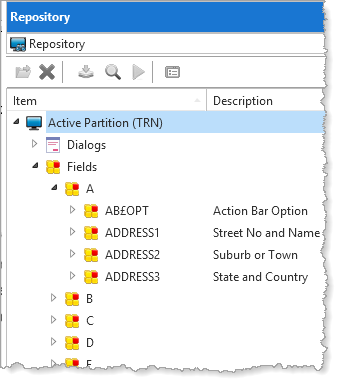
The fields shown are shipped examples.
2. Right-click on the Fields node and deselect the Alphabetical Grouping option from the context menu.
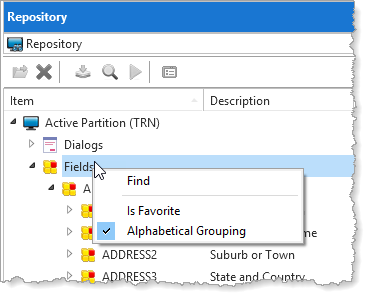
The alphabetic grouping will be turned off.
3. All fields are now displayed in alphabetical order but without alphabetical grouping.
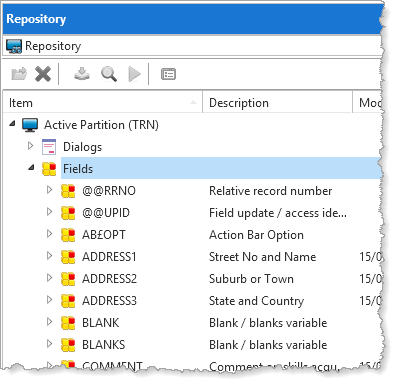
Alphabetic groupings can be used with most groups of objects listed in Active Partition.
[ |../../index.htm#lansa/usrtut01_0120.htm]