Page History
[  |../../index.htm#lansa/usrtut01_0165.htm]
You are here:
...
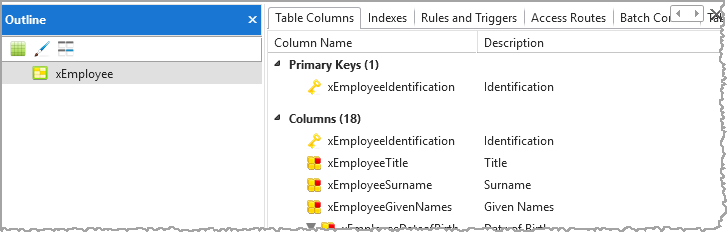
In this step, you will learn about the Outline tab. The main purpose of the Outline tab is to display all the components which make up the object which is currently selected in the editor. It displays information about the structure of an object. The information shown will depend on the type of object.
1. Select the Outline tab. The xEmployee table is shown, as this is the object we just opened:
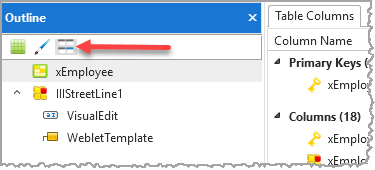
2. Click the highlighted toolbar button to display details for all objects open in the editor:
3. With iiiAddressLine1 selected in the editor, select the field on the Outline tab and right-click to display the context menu, select Field: iiiAddressLine1 and the Features.
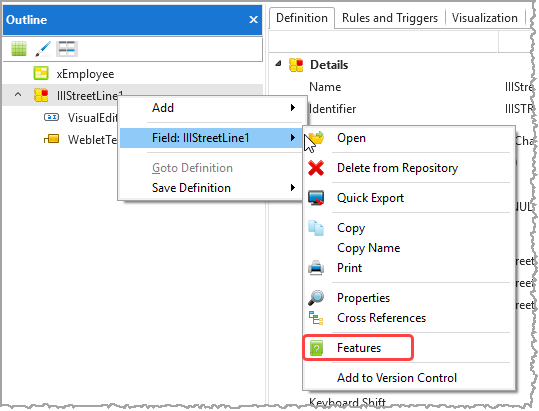
Features of iiiAddressLine1 are displayed in the Features tab.
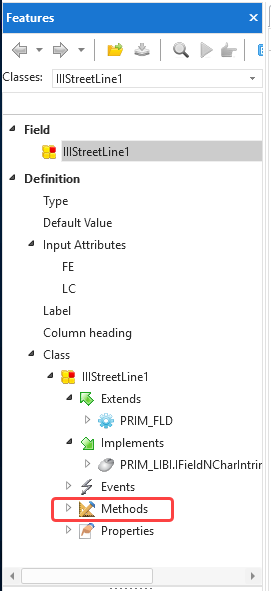
4. Expand the Methods of iiiAddressLine1 in the Features tab.
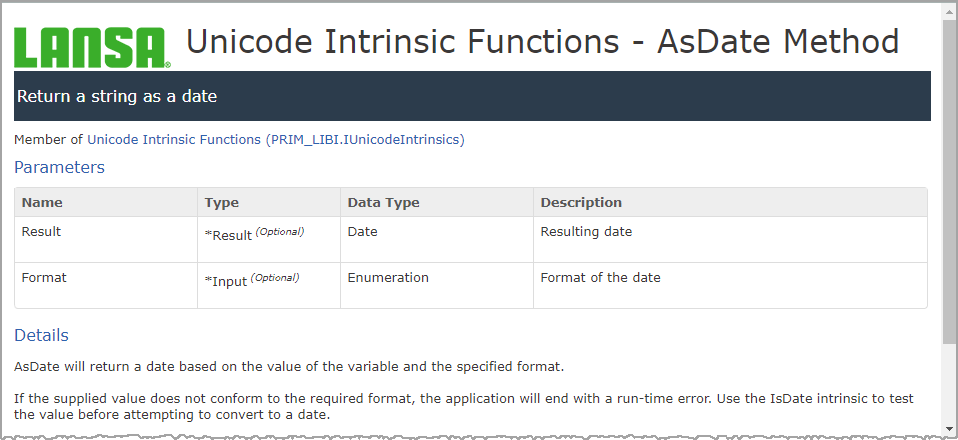
5. Double Double-click on any method to display detailed help in the browser.
[ |../../index.htm#lansa/usrtut01_0165.htm]