Page History
[  |../../index.htm#lansa/reptut01_0140.htm]
You are here:
...
In this step, you will test your field definitions by executing the iiiTestFields form. 1.
- Click the Execute button on the Home ribbon.
The The execute Form as Windows Application dialog may appear depending on your options.
This dialog will appear if the Prompt for additional information option was selected when last using Execute. The last options used in Compile / Execute are remembered , until you change them.
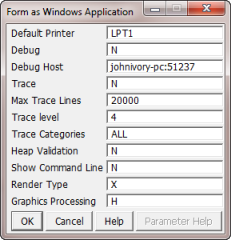
Press Press the OK button to execute the form
2. Your form should now appear something like this:
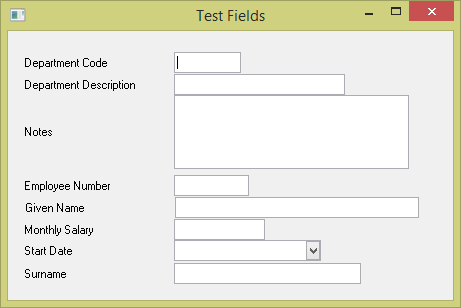
3. Test your new field definitions:
a. Enter a large amount of text into the Notes multiline entry field. Notice the scroll bar appears.
b. Enter a value into Salary and adjust the salary using the spin buttons. Notice how the value is formatted when you move the focus away from the field.
c. Change the Start Date using the calendar prompt. Note that time is now not displayed.
4. Close the form.
[ |../../index.htm#lansa/reptut01_0140.htm]