Page History
...
It will appear every time you save your Framework from now on: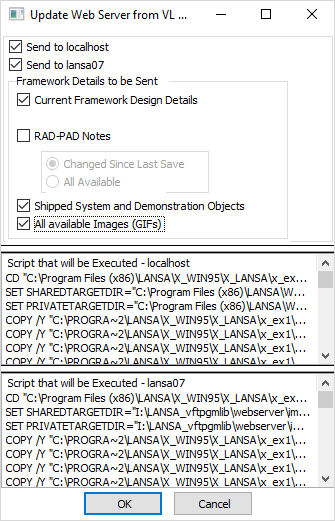
This window is indicating that it is going to copy your Framework design (and some other things) to your images and private working folders on your web server(s).
...
Click OK and wait until the copy operations complete.Note 1
| Note |
|---|
Notes:
|
...
|
When the copy operation completes, the update form will reappear stating "Results from Executing Scrip - xxxxx" (where xxxx is the caption you assigned to your web server) like this example: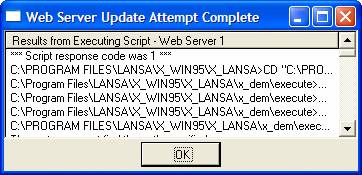
Scroll through the script messages looking for indications of failed COPY or FTP operations.
...
If an FTP or COPY operation fails it is most probably because the IP and/or directory details you supplied on the associated Developer Preferences – Web Server tab are incorrect. Return to the tab for the web server and carefully check all supplied details (use F2 to get additional information about each option). Use the various Verify options to check for problems. When you have corrected the cause of the problem recommence step 4.