Page History
[  |../../index.htm#lansa/reptut01_0245.htm]
You are here:
...
Now that the definition is complete, the table must be compiled to be operational.
1. Click the menu button on the Compile button on the Home ribbon, to display the Compile with options dialog:
In
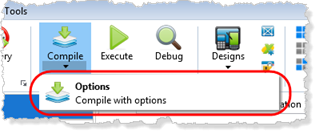
In this way, you can view the compile settings before submitting the job.
The Table Compile Options dialog is displayed.
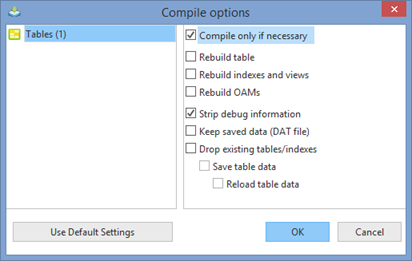
2. Press the OK button to submit the compile using the defaults shown.
| Note |
|---|
...
| Note: As a new table definition, the option Compile only if necessary, will build the table and any indexes or views, and create and compile an OAM. |
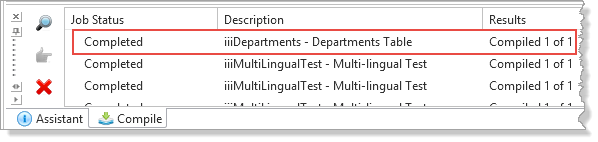
3. The compilation status will be displayed in the Compile tab.
Make sure that the compile completed successfully.
4. Close the table.
[ |../../index.htm#lansa/reptut01_0245.htm]